
Event staging and production tips are the step-by-step practices that turn a room into a reliable show environment—covering stage layout, lighting, audio, visuals, run of show, and crew coordination. The best results come from tight pre-planning, tested AV, and clear cues that keep presenters confident and audiences engaged from first welcome to final applause.
By Mississauga Convention Centre • Last updated: 2026-04-10
Quick Answer
For events at 75 Derry Rd W in Mississauga, the most effective event staging and production tips are to lock the run of show early, right-size the stage to your format, and stress-test audio, lighting, and video. With in-house staging, lighting, and technical support, Mississauga Convention Centre streamlines setup and rehearsal.
Overview
Use a timestamped run of show, a scaled floor plan, and a full AV systems check under show conditions. These three anchors reduce risk, shorten setup, and protect your program’s timing. When your venue supplies in-house staging and AV, your crew can focus on presenters and content instead of firefighting.
- What you’ll learn:
- Foundations of staging and live production inside a modern conference center
- How to pick layouts, lighting looks, and audio strategies that fit your outcomes
- Step-by-step production planning from site visit to strike with clear owner roles
- Tools, templates, and checklists used by professional showcallers
- Case studies across corporate, school, social, and multicultural formats
- Why this matters: A smooth show isn’t luck. It’s repeatable choices—stage geometry, power paths, cueing, and crew flow—that prevent delays and technical surprises.
- Where this applies: Seven elegant halls (approximately 4,250 sq ft each) at Mississauga Convention Centre with capacity for 2,200+ guests and about 700 on-site parking spots—minutes from Toronto Pearson International Airport and major highways.
- What is event staging and production?
- Why these tips matter
- How staging and production works on-site
- Approaches and formats
- Best practices (checklist)
- Tools and resources
- Case studies and examples
- FAQ
- Related reading and next steps
- Conclusion
Self-contained answer: The fastest way to elevate any program is to finalize a one-page floor plan, a timestamped run of show, and a tested AV package matched to your room size. At 75 Derry Rd W, integrated staging, lighting, and technical support compress setup time and make rehearsals more productive.
Local Tips
- Tip 1: For back-to-back corporate sessions, schedule load-in via Derry Rd W before 9 a.m. to avoid traffic and secure closest dock access for stages and LED walls.
- Tip 2: Winter events benefit from a 15–20 minute buffer in the run of show for coat check and snow-clearing paths between halls—keeps your first session on time.
- Tip 3: Using our outdoor patio? Ask production to pre-run wireless mic frequency scans inside and outside to avoid RF surprises during the handoff.
IMPORTANT: These tips align with Mississauga Convention Centre’s in-house AV, staging options, and hall access patterns at 75 Derry Rd W.
What Is Event Staging and Production?
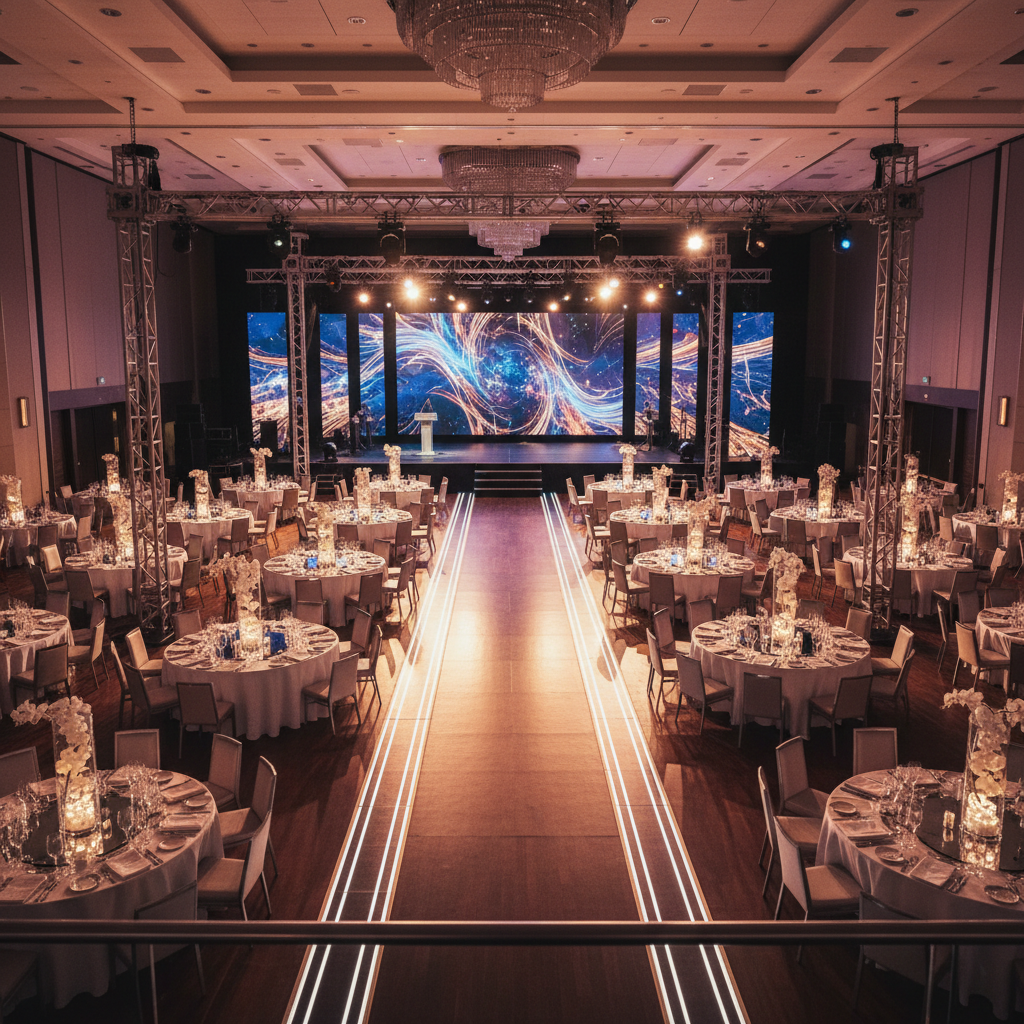
Event staging and production is the coordinated design and execution of stage layout, lighting, audio, visuals, power, and crew operations that deliver a predictable live experience. It turns a blank ballroom into a show-ready environment with clean sightlines, intelligible sound, stable power, and timed cues.
- Core components you’ll specify:
- Stage geometry: Riser height, width, steps, handrails, ramp angles, and backstage lanes.
- Lighting: Front wash for faces, backlight for separation, scenic uplights, gobos, and haze control.
- Audio: FOH mains, subs, fills, wireless mics, intercom, and program recording feeds.
- Video: LED wall or projection, switcher, playback, confidence monitors, and camera shots.
- Power + data: Dedicated circuits, clean grounding, cable ramps, and RF planning.
- Showcalling: Run of show, cue sheets, stage manager, comm protocols, and backups.
- Why definition matters: Shared definitions slash rework. If everyone agrees on specs 10–14 days out, rehearsals focus on delivery—not discovery.
- Venue advantage: In-house AV and staging at Mississauga Convention Centre reduce vendor handoffs and speed setup in our seven ~4,250 sq ft halls.
Self-contained answer: Event staging and production blends technical design with live operations so presenters look and sound their best. When your venue provides staging, lighting, and technicians, you remove guesswork and protect timelines—especially for tight corporate agendas and culturally significant social moments.
Why Event Staging and Production Tips Matter
Good staging saves time, prevents technical drift, and elevates content. Clear layouts and rehearsed cues reduce changeovers, while verified audio and lighting keep attention on the message. The payoff is higher attendee satisfaction and cleaner post-event reporting.
- Audience experience:
- Visibility: Proper riser height and sightlines reduce blocked views for 200–2,200 guests.
- Intelligibility: Tuned FOH and delay fills keep speech crisp across large halls.
- Energy: Lighting looks shape attention and reinforce brand or ceremony moments.
- Planner confidence: Fewer vendors and standardized gear at the venue mean fewer unknowns and faster tech rehearsals.
- Operational flow: Dialed cable paths, power maps, and comms prevent last-minute reroutes that burn minutes.
- Measurable details:
- Seven similarly sized halls allow parallel setups and rehearsals without crowding.
- Approximately 700 on-site parking spots lower arrival friction for crews and attendees.
- Proximity to Toronto Pearson shortens VIP travel time and increases on-time starts.
Self-contained answer: Event staging and production tips matter because they convert complex variables—room size, acoustics, power, and timing—into a stable show system. At 75 Derry Rd W, integrated AV and staging compress setup and let teams prioritize presenters, not patch bays.
How Staging and Production Works On-Site
Lock the run of show, confirm a scaled floor plan, and schedule a site walk. Then sequence load-in, rigging, power, and soundcheck before lighting and video. Rehearse with comms on. During show, a stage manager calls cues; after, strike in reverse order using a safety-first checklist.
- Discovery and goals (2–3 weeks out):
- Define audience size (e.g., 300, 600, 1,200) and desired outcomes: learning, celebration, recognition, networking.
- Choose format: keynote, panel, gala, awards, prom, or wedding reception.
- Agree on stage width/height and accessibility (ramps, handrails, ADA-compliant slopes).
- Scaled floor plan + power map (10–14 days out):
- Seat map (theater, classroom, banquet, cabaret) with aisles and camera lanes for IMAG.
- Power distribution, cable ramps, RF scan map, and projector/LED throws.
- Label FOH, dimmer city, backstage paths, green room, and storage zones.
- Production schedule (7–10 days out):
- Load-in order: staging → rigging → power → audio → lighting → video → scenic.
- Rehearsals with full comms: stage manager, FOH audio, lighting director, video switch op.
- Speaker tech checks: wireless etiquette, confidence monitor use, clicker test, walk marks.
- Showcalling and execution (show day):
- One cueing channel; one emergency channel; backup hand signals for silence moments.
- Time-stamped run of show; changeover timers; house lights policies by session type.
- Spare mics, spare clickers, spare IEC and XLR—staged, labeled, and reachable.
- Strike and load-out (post-show):
- Power down video first, then lighting, then audio; coil and case by zone.
- Venue walk with checklist to confirm no cable ramps, gaff, or fixtures remain.
- Debrief within 48 hours with notes for next year’s playbook and templates.
Pre-Production Timeline (with Owner Roles)
- 3 weeks out: Lock goals and format; request sample floor plans from our AV lead.
- 14 days out: Approve scaled plan and power map; share preliminary run of show with timestamps.
- 10 days out: Confirm mic plot and spare strategy; submit slides and media to a shared folder.
- 7 days out: Finalize cue sheets; circulate comms channel map and crew contact sheet.
- 2 days out: Walkthrough on-site; verify dock access, storage zones, and green room placements.
- Show day: Tech rehearsal with comms; program last-minute changes; doors at T-30.
Reference our practical planning guidance inside the paragraph flow of this article—like the detailed checklist in our corporate event planning checklist and the venue selection framework in how to choose an event venue. Both align with the seven ~4,250 sq ft halls at our site.
Show Day Roles and Communication
- Showcaller/Stage Manager: Owns cues, time, and changeovers. Keeps comms concise.
- FOH Audio: Speech intelligibility; monitors RF; records clean program feeds.
- Lighting Director: Looks for walk-in, show, awards, and dinner; manages house lights.
- Video Switch Op: Playback and switching; confidence monitors; IMAG coordination.
- Utility/Backline: Cable discipline, spare mics, and quick resets between segments.
- Venue Captain: Dock timing, room flips, accessibility paths, and noise policies.
For format-specific lighting concepts, see our in-depth primer on professional event lighting design, which maps looks to learning, celebration, and networking outcomes.
Post-Event Debrief (48 Hours)
- What worked: Note timings that landed early/on-time/late; capture reasons.
- What to change: Identify choke points (docks, power paths, mic handoffs).
- Assets to archive: Final floor plan, patched showfiles, program recording, photos.
- Playbook update: Turn lessons into templates for next quarter’s event cycle.

| Phase | Owner | Deliverables | Time Target |
|---|---|---|---|
| Discovery | Planner + Venue | Goals, audience, format, constraints | 2–3 weeks out |
| Design | Venue AV Lead | Scaled plan, power map, gear list | 10–14 days out |
| Pre-Prod | Stage Manager | Run of show, cue sheets, comms plan | 7–10 days out |
| Show | Showcaller | Cues executed, backups ready | Show day |
| Strike | Venue + Crew | Reverse load-out, venue walk | Same day |
Approaches, Formats, and Methods
Match stage and AV to your program goals: keynotes favor wide stages and bright front wash; panels need balanced audio and soft backlight; galas rely on dynamic looks and fast changeovers. Build for outcomes first, then layer scenic and effects that support the story.
Keynotes and Product Launches
- Stage: 32–40 feet wide with steps on both sides; clear lectern park.
- Lighting: Crisp key/front wash at 3,200–4,000K; backlight for depth; gobos for brand texture.
- Audio: Distributed PA (mains + delays) for even coverage across ~4,250 sq ft halls.
- Video: LED wall for punchy content; 2 confidence monitors angled to avoid glare.
- Ops: Spare lavs and handhelds; 90-second changeover timers between segments.
Panels, Fireside Chats, and Town Halls
- Stage: 24–32 feet with stools/chairs and low tables; centered walk marks.
- Lighting: Softer fill to reduce glare on glasses; hair light for separation.
- Audio: Handhelds for fast pass-around; lavs for hosts; record Q&A.
- Video: IMAG cameras on long lenses; lower-thirds prebuilt in switcher.
- Ops: Plant a second mic runner for Q&A-heavy segments.
Galas, Awards, and Fundraisers
- Stage: Wide proscenium with center lectern and presenter stairs both sides.
- Lighting: Scenic uplights around the room; pre-programmed looks for dinner vs. awards.
- Audio: Handhelds for hosts and winners; band DIs if entertainment plays.
- Video: Playback for stingers; award lower-thirds pre-rendered.
- Ops: Tight walk-in cues; spotlight rehearsals to avoid hunting on names.
Weddings and Multicultural Celebrations
- Stage: Flexible risers sized to mandap or sweetheart table; safe cable paths for procession.
- Lighting: Warm uplights for décor; clean front wash for ceremonies and photos.
- Audio: Expanded mic plot for performances and speeches; RF scan for indoor/outdoor patio moments.
- Catering: In-house Halal-friendly menus spanning South Asian, Middle Eastern, Sri Lankan, and Caribbean cuisines.
- Ops: Protect cultural beats with buffers; coordinate photo sequences with stage cues.
Trade Shows and Exhibitions
- Stage: Modular risers for demos; clear camera lanes; power drops per booth row.
- Lighting: Zones to separate sessions from floor traffic.
- Audio: Directional speakers or silent-session headsets near high-traffic aisles.
- Video: LED walls for maps/schedules; QR codes on signage managed by ops (printed externally).
- Ops: Color-coded floor plans; timed load-in per exhibitor block.
Self-contained answer: The best approach is the one that aligns with outcomes—learning, celebration, recognition, or networking. Each format changes your audio, lighting, and sightline math. Define the outcome first; then pick the stage, gear, and cueing that make it inevitable.
Best Practices: Event Staging and Production Tips
Prioritize crew safety, lock your floor plan, and rehearse with full comms. Label everything, run backups for mics and media, and build 10-minute buffers at key transitions. These practices keep shows on time and presenters calm, even when programs change.
Audio Essentials
- Power discipline: Keep audio on dedicated circuits; never share with lighting or catering warmers.
- RF hygiene: Frequency scan on arrival, pre-show, and after the room fills.
- Mic strategy: Blend of lavs for presenters, handhelds for Q&A and awards, and a wired fallback.
- Coverage: Mains + delay fills sized to 4,250 sq ft halls and combined-room scenarios.
- Recording: Capture a clean program feed for post-event reels and compliance.
Lighting Essentials
- Faces first: Set front wash for skin tones; add hair light for separation from LED walls or drape.
- Looks library: Pre-program walk-in, keynote, panel, awards, and dinner looks.
- House lights: Balance for note-taking in conferences; dim for stage focus at galas.
- Photography: Avoid heavy haze before photo-heavy segments; test for glare on glasses.
- Accessibility: Light steps and ramps so walk-ons are safe in formal wear.
Video and Scenic Essentials
- LED vs Projection: Choose LED when ambient light is high or content is motion-heavy.
- Confidence monitors: Angle to presenters; test notes and timers in speaker prep.
- Playback sanity: Preload fonts/codecs; standardize slide aspect ratios across decks.
- Scenic speed: Favor scenic elements that reset quickly during program pivots.
- Brand texture: Use gobos and color washes that complement décor without overpowering faces.

| Display Option | Best For | Room Light | Notes |
|---|---|---|---|
| LED Wall | High-motion content, bright rooms | Handles ambient | Crisp colors; plan backstage depth for tiles and power |
| Projection | Static slides, dimmable rooms | Prefers lower light | Mind throw distance and mount points; test for keystone |
- Labeling discipline: Label cables, cases, comm packs, and power legs; align with the one-page plan.
- Buffer policy: Insert 10-minute buffers at meals, awards pivots, and outdoor/indoor handoffs.
- Safety first: Rated truss; hard hats during rigging; secured fixtures; tidy cable runs.
- Redundancy: Spare handheld, spare lav, spare clicker, backup media on separate drives.
Self-contained answer: A consistent checklist—from safety gear and power isolation to RF scans and backup media—turns live events into repeatable wins. Combined with in-house staging and AV at the venue, you simplify logistics and shorten the time from truck door to doors open.
Tools and Resources
Use pro-grade planning and show tools: a scaled floor-plan app, a collaborative run-of-show tool, RF coordination software, and a standardized kit list. With venue-supplied consoles and LED, your team brings only specialty items and content drives.
Planning and Design
- Scaled floor plans: Vector-based spotlighting tools to map risers, aisles, and camera lanes.
- Markup and approvals: PDF/CAD markup tools help stakeholders comment asynchronously.
- Shot lists: Define IMAG and b-roll priorities for post-event reels.
Showcalling and Collaboration
- Run-of-show templates: Timestamped cues with owner, location, and backup notes.
- Shared cloud folders: Single source of truth for slides and media; version control helps.
- Speaker prep: Simple tech checklist covering mics, clickers, timers, and confidence monitors.
Audio and Comms Utilities
- Wireless coordination: Use RF coordination software to pre-scan and manage channels.
- Networked audio: Route clean feeds, record program, and isolate zones efficiently.
- Comms labeling: Channel maps and printed lanyard cards avoid chatter.
Lighting and Video Workflows
- Showfile conventions: Standard naming across consoles and sessions reduces errors.
- Playback: Test codecs against your switcher/recorder combo; keep a backup drive.
- Confidence monitor design: Notes, timers, and next-slide previews keep presenters smooth.
Templates You Can Adapt
- One-page floor plan with power and RF legend
- Run-of-show with durations and cue IDs
- Mic plot and spare strategy sheet
- Strike checklist by zone
Self-contained answer: The right tools compress decision time. Pair a scaled plan, timestamped run-of-show, and RF software with the venue’s consoles and LED so you’re not reinventing the wheel on show day—and you can hand off files cleanly to any operator.
If you want a framework for sequencing work, review the familiar five-phase model from project management practice; it maps cleanly to discovery, design, pre-production, show, and strike cycles often used in live events (five phases of project management).
Plan with a Pro
Want a second set of eyes on your floor plan, power map, or cue sheet? Our in-house AV and staging team partners with planners every week to translate goals into reliable show builds.
Case Studies and Examples
Design for outcomes, then right-size the stage and AV. Corporate launches want crisp sightlines and strong playback; school proms need fast changeovers and photo moments; multicultural weddings call for flexible staging and Halal-friendly catering. The venue’s seven halls make parallel setups practical.
Corporate Product Launch (≈600 Guests)
- Format: 40-minute keynote, 20-minute demo, 30-minute panel, networking.
- Build: 40′ stage, LED wall, distributed PA, 2 confidence monitors, 6 wireless mics.
- Outcome: Clean IMAG angles and 90-second changeovers kept the clock on track and the demo visible to the back row.
- Tip: Use house uplights during networking to keep energy without blinding guests.
Gala with Awards (≈800 Guests)
- Format: Dinner service, awards blocks, and entertainment interludes.
- Build: Scenic uplights, awards lectern, band DIs, and pre-programmed looks.
- Outcome: Dynamic lighting shifted the room between dining and stage focus without long pauses.
- Tip: Pre-stage trophies and test spotlight handoffs to avoid hunting on names.
School Prom (≈500 Students)
- Format: DJ set, photo ops, awards, and closing announcements.
- Build: Elevated DJ riser, dance-floor lighting, and fast-reset mic plan.
- Outcome: Tight cueing balanced dance energy with supervisors’ announcements.
- Tip: Keep a spare handheld at FOH for impromptu messages.
South Asian Wedding Weekend (Two Halls in Parallel)
- Format: Sangeet night and reception with culturally significant moments and performances.
- Build: Flexible risers, custom décor, Halal-friendly menus, and an RF plan for indoor/outdoor transitions.
- Outcome: Smooth handoffs protected ceremonies and photo timelines; families celebrated without feeling rushed.
- Tip: Add 10-minute buffers at procession points; coordinate with photography for key shots.
Trade Show + Conference Hybrid
- Format: Morning keynotes, afternoon breakouts, ongoing expo floor.
- Build: LED schedule wall, silent-session headsets near the expo, and color-coded maps.
- Outcome: Clear traffic flow and intelligible sessions near busy aisles.
- Tip: Use parallel halls to isolate noise and maintain session focus.
Self-contained answer: Across launches, galas, proms, and weddings, consistent staging math—sightlines, RF, power, and cue timing—yields dependable shows. Seven halls of ~4,250 sq ft each and an outdoor patio allow parallel builds that keep programs moving and guests comfortable.
FAQ
Finalize a floor plan, run-of-show, and mic list 7–10 days out. Schedule a tech rehearsal with full comms, and arrive with backup media and labeling. At Mississauga Convention Centre, in-house AV and staging simplify gear coordination and speed setup.
- How do I pick the right stage size?
Match stage width to content. Single keynote with lectern? 24–32 feet works in most halls. Panel with 5–6 chairs and coffee tables? Go 32–40 feet. Add steps on both sides and a ramp if you expect frequent walk-ons.
- What’s the best mic strategy for mixed programs?
Carry a blend: two lavs for hands-free presenters, two handhelds for Q&A and awards, and a wired backup. Pre-assign channels and label belts. Keep a spare handheld and a spare lav programmed and ready.
- When should I do AV checks?
Do a full systems check after load-in, then a focused check before doors, and a final verification after the room fills (audience bodies change RF and acoustics). Test playback at native resolution and confirm confidence monitor feeds.
- What’s the fastest way to reduce risk?
Lock the run-of-show early, label power and signal paths on the floor plan, and rehearse comms. Redundancy on mics and media prevents small issues from pausing the show. Build 10-minute buffers at meal and program pivots.
- Can you support multicultural performances?
Yes. Flexible risers, expanded mic plots for instruments, and Halal-friendly in-house catering support South Asian, Middle Eastern, Sri Lankan, and Caribbean programs—while protecting timelines for each ceremony segment.
Related Reading and Next Steps
For deeper planning structure, our corporate event planning checklist pairs naturally with these event staging and production tips. If you’re still evaluating venues, see how to choose an event venue and explore our capacity options in Mississauga corporate event venue rental. For mood-setting ideas, browse professional event lighting design.
Conclusion
Great shows are designed, not improvised. Lock the plan, right-size the stage, and rehearse with comms. With in-house staging, lighting, and technical support at Mississauga Convention Centre, your team can focus on program impact—not last‑minute fixes.
- Key takeaways:
- Outcomes first, then stage and AV choices.
- One-page plan, timestamped cues, and clear comms.
- Redundancy for mics and media; buffers at pivots.
- Leverage in-house AV and staging to shorten setup.
- Next steps:
- Schedule a site walk and scaled plan review.
- Draft your run-of-show with timestamps.
- Confirm mic plot, RF plan, and backups.
- Book a rehearsal with full comms on.
Ready to stage your next program near 75 Derry Rd W in Mississauga? Our team supports corporate events, school formals, weddings, galas, trade shows, and more with integrated staging, lighting, and technical support.