

 20 September, 2026
 Virtual venue tour benefits include faster decisions, fewer site visits, and clearer stakeholder alignment. A virtual tour is a 360-degree, interactive preview of a venue’s rooms, layouts, and amenities that you can explore from anywhere. For planners evaluating options in Mississauga, it streamlines shortlisting and de-risks event logistics before a single in-person visit.
By Preet Dass — Mississauga Convention Centre
Last updated: 2026-04-28
At a Glance
Use a virtual venue tour to preview rooms, test layouts, and verify logistics before you travel. You’ll align decision-makers faster, cut unnecessary site visits, and verify that AV, catering, and access match your event goals. It’s the quickest way to shortlist venues confidently and move from idea to signed hold.
Here’s what you’ll learn in this complete guide for corporate planners, wedding couples, and school organizers:
- What a virtual venue tour is and how it works across devices
- Top virtual venue tour benefits for speed, clarity, and risk reduction
- Tour types (360, guided video, hybrid) and when to use each
- Best practices to evaluate capacity, flow, AV, and catering fit
- Tools and checklists to capture decisions and next steps
- Real-world scenarios using Mississauga Convention Centre’s seven halls
Jump to a section:
- What Is a Virtual Venue Tour?
- Why Virtual Venue Tours Matter
- How Virtual Venue Tours Work
- Types of Virtual Venue Tours
- Virtual Tour Best Practices
- Tools and Resources
- Case Studies and Examples
- Frequently Asked Questions
- Conclusion and Next Steps
What Is a Virtual Venue Tour?
A virtual venue tour is a digital, 360-degree walkthrough that lets you inspect rooms, layouts, lighting, and amenities from any device. It accelerates shortlisting, reduces travel, and clarifies logistics so you can focus in-person visits on final confirmation and contract-ready details.
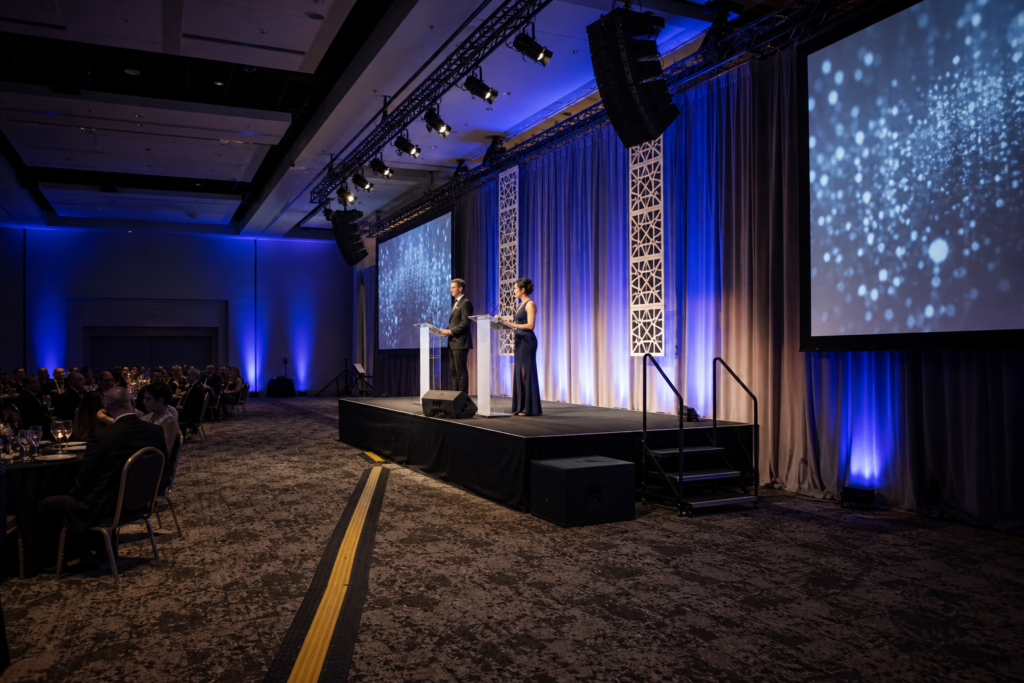
A virtual venue tour replicates the experience of walking a space. You rotate the viewpoint, move between hotspots, and zoom into details like ceiling height, rigging points, or where a stage might go. At Mississauga Convention Centre, our tour covers seven elegant halls (approximately 4,250 square feet each), meeting spaces, and common areas.
- Immersive navigation: Pan, tilt, and “walk” the room virtually to gauge sightlines and flow.
- Logistics clarity: Identify entrances, service corridors, and foyer areas for registration or cocktail hour.
- Scale and capacity: Verify that over 2,200 total guest capacity can be distributed across rooms as needed.
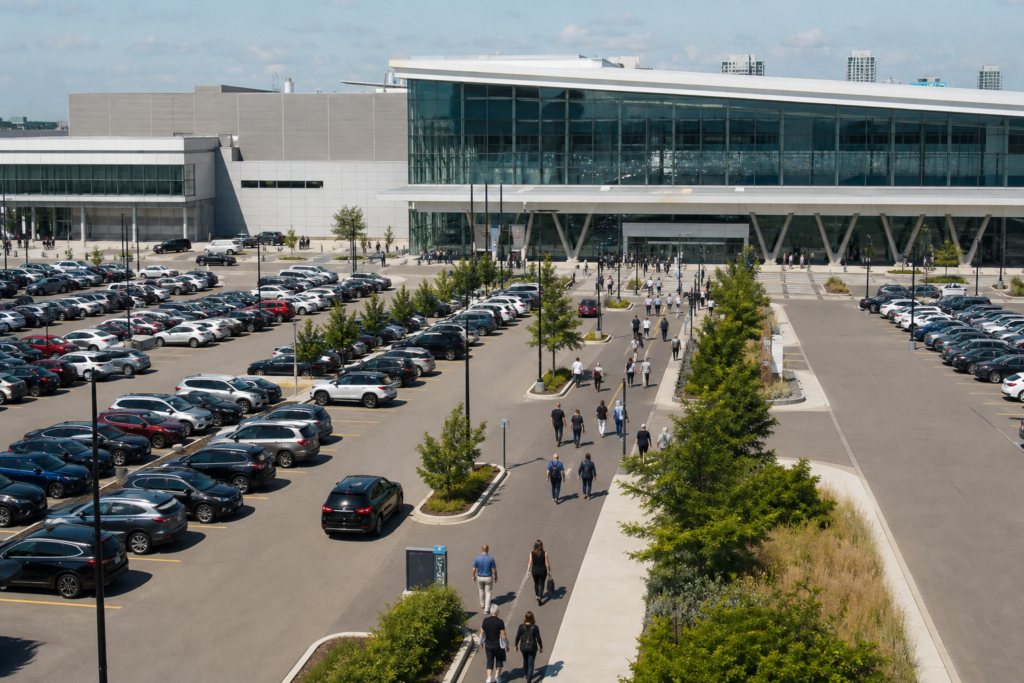
- On-site advantages: Factor in approximately 700 free parking spots and accessible features for guests.
If you’re new to the format, start with our venue’s quick preview and then book a guided call. You can explore independently and then have a coordinator walk through your layout ideas in real time.
Explore a live example with our virtual tour and pair it with our virtual tour technology overview when you’re evaluating features.
Why Virtual Venue Tours Matter
Virtual tours speed up venue selection, reduce planning risk, and align stakeholders early. Teams validate capacity, AV, and flow before traveling, which shortens decision cycles. For hybrid workforces, a shared, clickable tour keeps everyone on the same page without juggling multiple calendars.
Here’s why this matters for planners balancing timelines and compliance:
- Faster consensus: Share the link with executives, partners, or families to gather feedback in one day instead of scheduling site visit rounds.
- Reduced risk: Confirm that room scale, foyer sizes, and clearances match your floor plan before deposits.
- Better program design: Visualize transitions between plenary, breakouts, and receptions to keep energy high and bottlenecks low.
- Accessibility awareness: Spot ramps, elevators, and restrooms in advance for inclusive experiences.
- Vendor coordination: Use the same visuals to brief AV, décor, and entertainment teams on staging and power access.
In our experience supporting corporate meetings, conferences, and multicultural weddings across the GTA, early clarity translates to smoother day-of execution. When you’ve mapped guest flow and staging virtually, the on-site team can focus on hospitality rather than last-minute layout changes.
To translate insight into action, bring your program outline and annotate it during the virtual walkthrough. We offer integrated AV, lighting, staging, and diverse in-house catering—meaning many questions can be resolved in one coordinated planning conversation.
How Virtual Venue Tours Work
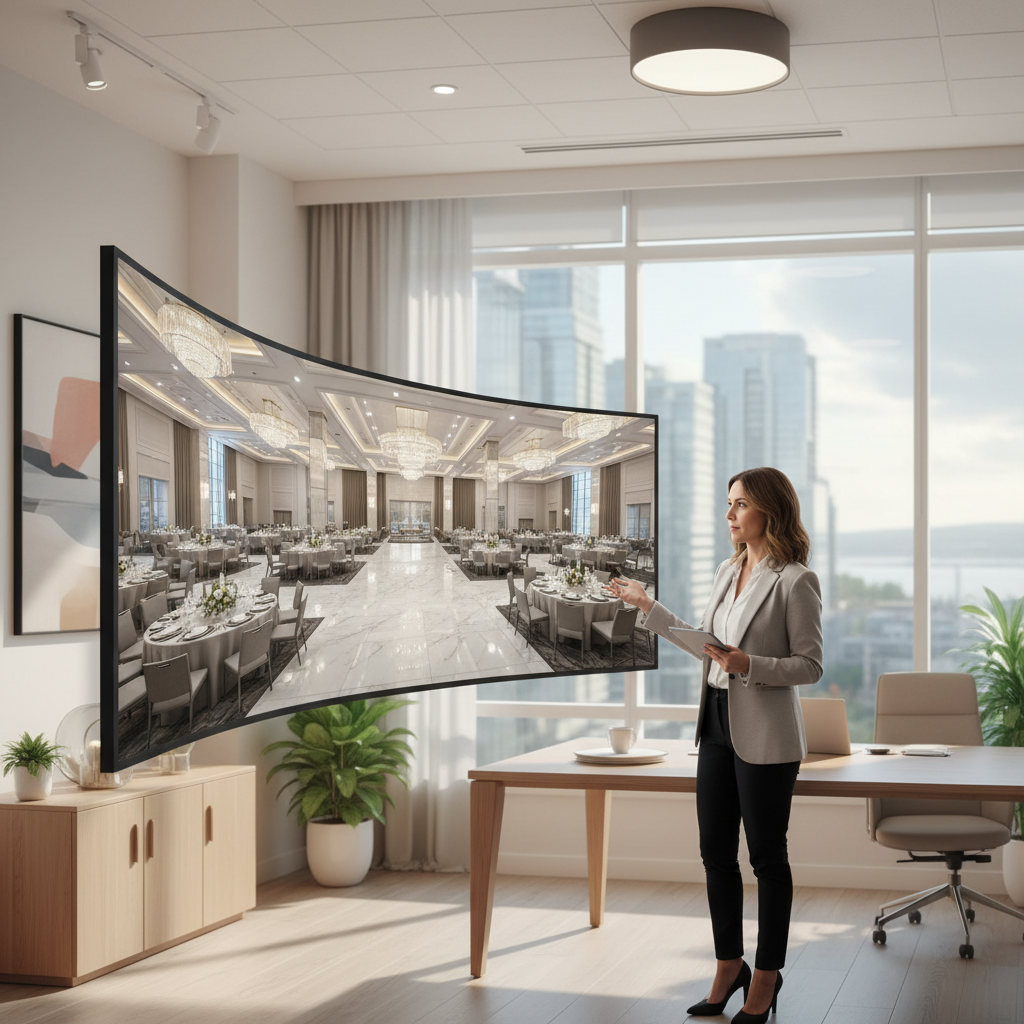
Virtual venue tours stitch high-resolution, 360-degree images into an interactive model. You navigate via hotspots, explore multiple rooms, and zoom into details. On guided calls, a coordinator shares the tour screen, answers questions live, and records decisions for your floor plan and run-of-show.
Behind the scenes, a tour is created using a 360 camera and specialized software. The result is a seamless walkthrough that you can access via web browser—no special app required. For teams, screen sharing keeps decisions moving without travel.

- Independent exploration: Walk the halls at your own pace, revisit sections, and review with new stakeholders anytime.
- Guided walkthroughs: Hop on a call with our coordinator to test seating arrangements, entry points, and stage sightlines.
- Decision capture: Convert insights into a working floor plan, so changes get tracked and shared.
For example, planners evaluating two concurrent breakouts can virtually confirm that adjacent halls have appropriate foyer space for traffic, signage, and catering setups, then lock those layouts before a single in-person visit.
Types of Virtual Venue Tours
Common tour types include 360-degree self-guided tours, hosted video walkthroughs, and hybrid sessions that combine both. Choose 360 tours for quick shortlisting, hosted video for narrative context, and hybrid when your team needs live Q&A plus independent exploration.
360-degree self-guided tours
- Best for: Rapid shortlisting, capacity checks, and early stakeholder alignment.
- Why it helps: Navigate seven halls and meeting spaces anytime to compare options.
- Example: A corporate planner screenshares the tour during a standing team meeting to choose the best plenary room.
Hosted video walkthroughs
- Best for: Storytelling, décor inspiration, and showcasing transitions (ceremony to reception, plenary to gala).
- Why it helps: A coordinator narrates key moments—lighting cues, stage reveals, and service flow.
- Example: A couple previews the cocktail foyer, then sees how sliding partitions reveal the ballroom for the first dance.
Hybrid guided sessions
- Best for: Complex programs with multiple vendors, languages, or accessibility needs.
- Why it helps: Combine live Q&A with self-guided follow-up, so every decision-maker can review on their schedule.
- Example: School organizers map prom check-in, photo ops, and late-night pickup flow using the same shared visuals.
| Tour Type | When to Use | Primary Benefit | Ideal Audience |
|---|---|---|---|
| 360 Self-Guided | Early shortlisting, capacity/flow checks | Anytime access, zero scheduling | Corporate, couples, schools |
| Hosted Video | Storytelling and inspiration | Context and ideas | Couples, social planners |
| Hybrid Session | Complex programs and vendor alignment | Live Q&A + on-demand review | Corporate, trade shows |
To try each approach, start with our self-guided virtual tour, then book a hybrid consult through our virtual tour technology page.
Virtual Tour Best Practices
Treat your virtual tour like a working site visit: bring your agenda, test layouts, and document decisions. Verify capacity, guest flow, AV, catering, and accessibility. Finish with a draft floor plan and a short list of open questions for your in-person confirmation walk.
Plan with a clear checklist
- Program goals: Define outcomes for plenary, breakouts, and receptions.
- Capacity and seating: Confirm ballroom sizes (≈4,250 sq ft each) and total capacity over 2,200 guests.
- Flow and timing: Map arrivals, registration, stage reveals, dinner service, and closing moments.
- AV and staging: Align on lighting cues, audio coverage, stage dimensions, and power.
- Catering: Note cuisine preferences (South Asian, Pakistani Halal, Middle Eastern, Sri Lankan, Caribbean, Continental).
Evaluate logistics up front
- Access and parking: Account for approximately 700 free on-site parking spots and accessible routes.
- Vendor workflow: Identify load-in paths and staging zones for décor and entertainment.
- Wayfinding and signage: Confirm foyer dimensions and sightlines for branding.
Turn insights into action
- Draft your floor plan: Capture seat counts, stage placement, and catering stations as you tour.
- Consolidate decisions: Share a single document with stakeholders to eliminate version sprawl.
- Finalize with a site visit: Use the in-person tour to validate assumptions and lock the run-of-show.
For a helpful planning perspective from another venue operator, see these general questions to ask before booking. Then compare them with our in-house venue selection checklist to round out your approach.
Tools and Resources
Combine a self-guided virtual tour with a guided planning call, a collaborative floor plan, and a decisions checklist. This toolkit moves your team from initial shortlist to confident hold—without travel delays or version chaos.
- Self-guided tour: Start here to orient stakeholders: Mississauga Convention Centre virtual tour.
- Guided session: Request a coordinated walkthrough via our virtual tour technology page.
- Corporate venue resources: Review capacity and AV considerations in our corporate event venue guide and key elements framework.
- Wedding planning depth: For style and flow decisions, see our wedding venue rental guide and wedding comparison guide.
For a broad planning lens, many planners also review outside perspectives on selecting banquet halls like this general overview of hall selection factors to stress-test their checklists. Use these as prompts, then tailor to your program and audience.
Case Studies and Examples
Virtual tours de-risk complex programs by aligning teams early. Corporate planners, couples, and schools can map arrival, staging, service flow, and accessibility in the tour—then confirm in person. The result is a smoother show day with fewer surprises and stronger guest experience.
Corporate conference: plenary + breakouts + gala
- Scenario: A GTA-based team needed a plenary for leadership sessions, three breakouts, and an evening gala.
- Virtual win: Using the tour, they visualized foyer traffic, stage placement, and transitions—then finalized AV cues with our in-house team.
- On-site result: The run-of-show stayed on time, with smooth guest movement and clear sightlines.
Multicultural wedding: ceremony to reception reveal
- Scenario: A couple needed an elegant ceremony, a cocktail hour, and a dramatic ballroom reveal.
- Virtual win: The tour helped them place a stage, dance floor, and live entertainment while coordinating Halal-friendly menus.
- On-site result: Seamless transitions and a memorable reveal moment for over 400 guests.
School prom: safety and flow for students and guardians
- Scenario: Organizers prioritized check-in, photo backdrops, and predictable pickup.
- Virtual win: They mapped arrival routes, coat check, and late-night logistics—then confirmed chaperone positions in person.
- On-site result: A joyful, well-orchestrated evening with simple wayfinding and smooth exits.

Want to see how this plays out in your program? Take our virtual tour, then request a hybrid walkthrough to finalize layouts in a single working session.
Local considerations for Mississauga planners
- Plan buffer time for regional traffic patterns when scheduling arrivals and vendor load-ins; virtual tours help pre-map staging and signage.
- Seasonality matters: winter coats increase foyer needs for storage and flow; preview these zones virtually.
- For out-of-town attendees, align shuttle drop-off and accessible routes in the tour before you book transportation.
Virtual Venue Tour Benefits (And How to Realize Them)
The biggest benefits are speed, clarity, and confidence. You’ll move from idea to hold faster, validate logistics without travel, and cut last-minute changes. Pair a self-guided tour with a guided planning call to lock floor plans and finalize AV and catering in fewer steps.
Speed: accelerate the shortlist
- Single-link alignment: Share the tour with executives or families to collect feedback this week, not next month.
- Independent review: Stakeholders can explore seven halls on their own schedule.
- Action idea: End the tour with a 10-minute decision huddle; document the top two room options.
Clarity: design the experience
- Flow mapping: Visualize arrivals, registration, and service timing to avoid bottlenecks.
- AV confidence: Align staging, lighting, and audio expectations with our on-site technical team.
- Action idea: Screenshot key views and paste into your run-of-show for quick reference.
Confidence: reduce day-of risk
- Accessibility: Verify routes and restrooms ahead of time to meet attendee needs.
- Vendor coordination: Share visuals with décor and entertainment to confirm setup requirements.
- Action idea: Use the tour to pre-stage a plan B layout for weather or program changes.
If you’re building your shortlist now, start with the Mississauga Convention Centre virtual tour and save your notes right inside your planning doc as you navigate.
Book a Guided Virtual Walkthrough
Ready to see how your event would flow? Book a guided virtual walkthrough. We’ll screen share the tour, test layouts live, and answer AV and catering questions so you can leave with a draft floor plan and a clear path to a confident hold.
Schedule a coordinated session via our virtual tour technology page. We’ll match the right hall configuration to your run-of-show and cuisine preferences—including South Asian, Pakistani Halal, Middle Eastern, Sri Lankan, Caribbean, and Continental menus.
Practical Checklists and Tables
Use structured checklists to turn virtual insights into decisions. Validate capacity, staging, catering, and accessibility. Then translate outcomes into a draft floor plan and run-of-show that can be confirmed in one in-person visit.
Five-point virtual evaluation checklist
- Capacity and layout: Does the hall size (≈4,250 sq ft) support your seating plan?
- Flow and timing: Are entries, foyers, and service paths clear and efficient?
- AV and staging: Can lighting, audio, and stage positions meet program goals?
- Catering fit: Do menu options align with cultural preferences and service style?
- Accessibility: Are routes, restrooms, and seating inclusive by design?
Process table: from tour to hold
| Step | Owner | Virtual Action | Outcome |
|---|---|---|---|
| 1. Explore | Planner + stakeholders | Self-guided tour across seven halls | Shortlist two room options |
| 2. Align | Planner + venue | Guided call to test layouts | Draft floor plan + notes |
| 3. Confirm | Planner + venue | In-person validation | Final run-of-show |
| 4. Execute | Venue + vendors | Share visual references | Smoother show day |
If you’d like a second opinion during step two, our coordinators can walk you through comparable layouts from past conferences, weddings, galas, and school celebrations hosted here.
Tools for Specific Audiences
Corporate teams, couples, and schools use virtual tours differently. Tailor your checklist to your audience and program goals. The right prompts turn a virtual walkthrough into a decision-ready plan—without extra meetings.
Corporate, conference, and trade show planners
- Check plenary sightlines, breakout proximity, and foyer widths for sponsor activations.
- Coordinate AV and staging with our on-site technical team during the guided call.
- Review our corporate venue guide for capacity, access, and parking considerations.
Couples and social planners
- Preview ceremony-to-reception transitions, stage placement, and dance floor flow.
- Discuss décor, lighting effects, and entertainment needs while touring the ballroom.
- Compare options with our wedding venue comparison guide to finalize your shortlist.
Schools (proms, graduations, formals)
- Map registration, photo areas, coat check, and pickup flow for guardians.
- Design chaperone positions and signage that keep lines moving.
- Use our venue planning checklist to document safety and accessibility decisions.
Frequently Asked Questions
Virtual venue tours are simple to access and powerful for planning. You can explore rooms, verify layouts, and align teams before traveling. Here are quick answers to common questions about devices, accuracy, and how tours integrate with floor plans and vendor coordination.
How accurate are virtual venue tours for measuring space?
Virtual tours are designed for accurate visual assessment of scale, flow, and sightlines. For detailed measurements, pair the tour with a floor plan from our team. We’ll confirm dimensions, stage sizes, and power locations during a guided session and your in-person validation.
Do I need special software or a headset to view the tour?
No special software is required. You can access the tour in a standard web browser. Headsets are optional. Most teams view it on laptops during a screenshare, then follow up with a guided call to finalize layouts and logistics.
How does a virtual tour help with AV and staging?
It shows sightlines, ceiling height impressions, and ideal stage locations. On a guided call, our on-site technical team discusses lighting, audio coverage, and power access. You’ll finish with a draft plan that’s easy to confirm in person.
Can virtual tours replace an in-person site visit?
Treat the virtual tour as step one for shortlisting and design. We still recommend an in-person validation to lock final details. This two-step approach saves time while ensuring your floor plan and run-of-show match the real space.
How do virtual tours support multicultural or Halal-friendly menus?
By previewing service flow. You can place buffet lines, action stations, or plated service routes virtually, then coordinate South Asian, Pakistani Halal, Middle Eastern, Sri Lankan, Caribbean, or Continental menus with our in-house catering team.
Conclusion and Next Steps
Virtual venue tours convert ideas into action. Start with a self-guided walkthrough, align stakeholders on a guided call, then validate in person. You’ll reach a confident hold faster and deliver a smoother guest experience with fewer surprises on the day.
- Key takeaways: Speed, clarity, confidence—plus integrated AV and diverse catering in one venue.
- Action steps: Explore the virtual tour, schedule a guided session, and draft your floor plan.
- Stay organized: Keep a single planning doc that captures capacity, flow, AV, and catering decisions.
Ready to put this into practice? Book a discovery session with our team in Mississauga and see how your run-of-show comes to life—virtually first, then flawlessly on site.
Related Articles and Next Reads
Deepen your planning with our in-depth guides. For corporate teams, review key elements of a successful corporate venue. For couples, compare options with our wedding venue comparison. For external perspective, browse this regional convention center projects overview as a thought starter on large-scale build-outs.