

 20 September, 2026
Last updated: October 2026
Good event lighting makes a room easier to navigate, a speaker easier to see, and a celebration more memorable. It also has to work in photographs, video, presentations, dining areas, and transitions between programme segments. At Mississauga Convention Centre, 75 Derry Road West, the right plan connects the stage, décor, tables, and audience instead of treating them as separate zones.
By Preet Dass – Mississauga Convention Centre
Last updated: October 29, 2026

What event lighting design should achieve
Event lighting is both an artistic and technical discipline. The design should establish a visual mood while giving guests, performers, speakers, cameras, and venue teams enough visibility to do their jobs comfortably and safely.
- Make people readable: Put flattering, controlled light on speakers, award recipients, couples, and performers.
- Support content: Keep projection screens and LED walls free from unwanted spill and glare.
- Shape the room: Use colour, texture, and brightness to make a large ballroom feel welcoming rather than empty.
- Guide attention: Change looks when the event moves from arrival to speeches, dinner, awards, or dancing.
- Protect movement: Maintain visible aisles, stairs, exits, service routes, and transitions even when the room is dimmed.
For an event venue in Mississauga, the design conversation should begin with the room layout, stage position, ceiling and rigging plan, guest count, programme, décor, cameras, and load-in schedule. Those details determine what can be hung, where fixtures can be placed, and how much time is available to focus and rehearse.
What is event lighting design?
Event lighting design is the planned use of fixtures, colour, intensity, direction, texture, movement, power, and control to shape an event environment. A designer decides what should be visible, where attention should go, how the room should feel, and when each look should change.
The basic language of light is straightforward:
- Intensity is the brightness of a fixture or lighting zone. It must be strong enough for faces and content without making dining areas harsh.
- Colour temperature describes the warm-to-cool appearance of white light. Warm light often suits receptions and dinner; neutral light usually supports presentations and video.
- Direction determines modelling and shadows. Key, fill, side, and backlight create more depth than a single front-facing source.
- Beam angle controls coverage. A wide beam can cover a wall or stage, while a narrow beam can isolate a podium, centrepiece, or entrance.
- Texture comes from gobos, breakup patterns, scenic elements, chandeliers, and practical fixtures.
- Movement includes pans, tilts, colour changes, and timed effects. It should support a reveal or dance segment rather than distract during a speech.
Faces, content, and the room
A useful priority order is faces first, content second, and room third. If presenters are difficult to see, colourful walls cannot rescue the production. If a screen is washed out, a dramatic stage look may undermine the message. Once the essential visibility is secure, ambient and decorative layers can create atmosphere.
Why lighting matters for guests and cameras
Lighting influences how guests understand a space before they consciously notice it. A warm arrival look can feel hospitable, a clean stage wash can focus attention, and a controlled dance-floor look can raise energy without forcing the entire room to the same brightness.
It also affects photography and video. Inconsistent colour across the stage can make skin tones difficult to correct, while intense saturated light on faces can make expressions and clothing appear unnatural. Discuss the preferred white-balance approach with the photographer and videographer before the event, then test it with real presentation content and representative people on stage.
Visibility and accessible circulation
Atmosphere must not come at the expense of safe movement. Ontario guidance on working safely in dim or dark conditions highlights the hazards created when ordinary visibility is reduced. Maintain practical illumination for aisles, stairs, service routes, and exits, and brief staff before any blackout or major transition.
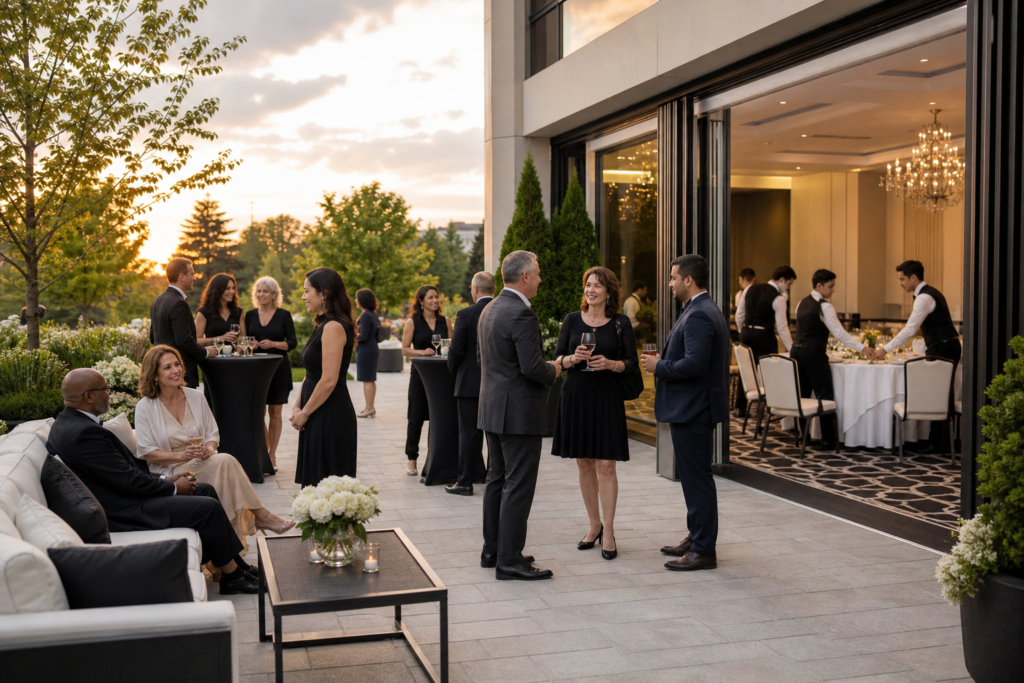
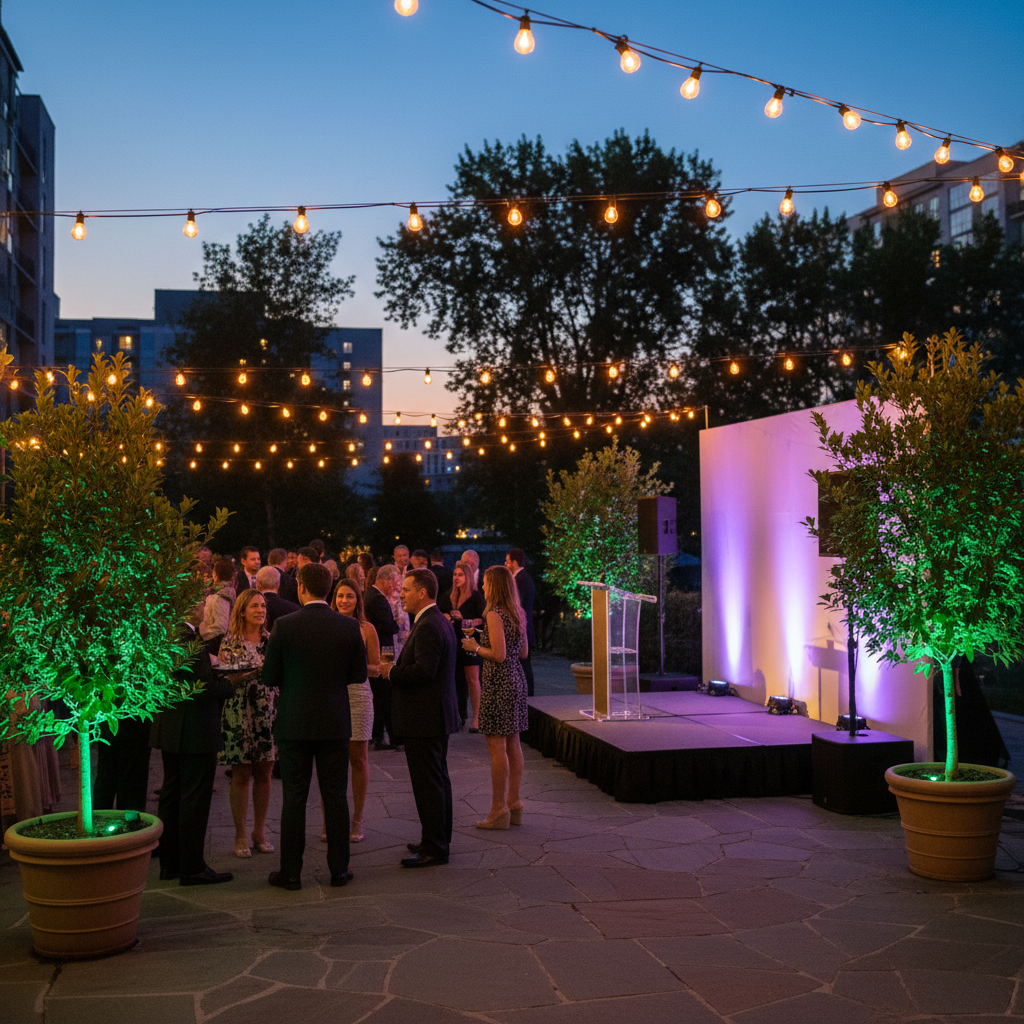
For outdoor portions of an event, review the approved guidance for lighting safe passage at outdoor venues. A patio, arrival area, or temporary stage needs a plan for changing daylight, weather, cables, and the route between the audience and the stage.
How an event lighting system works
A typical system combines fixtures, power distribution, data control, a console, rigging or floor positions, and a cue plan. DMX is commonly used to send control information to fixtures; larger systems may use networked protocols such as sACN. The exact equipment depends on the plot and programme, not on a fixed fixture count.
Six stages of a dependable lighting workflow
- Advance the event: Confirm the room, stage dimensions, trim or rigging limits, scenic, projection surfaces, camera positions, guest layout, and programme.
- Draw the plot: Mark fixture positions, beam throws, power distribution, data paths, audience areas, and places where spill must be controlled.
- Load in: Place stands or support structures, install fixtures, run and label cables, distribute power, and keep walkways clear.
- Focus: Aim key light at speakers and performers, set shutters and gobos, check backlight, and remove spill from screens and sightlines.
- Program and rehearse: Build looks for arrival, content, awards, dinner, entertainment, and emergency or full-room visibility. Run them with the stage manager and presenters.
- Call and strike: Follow cue numbers or show calls, record changes, power down safely, and remove equipment without disrupting guests or venue operations.
| Phase | Decision to confirm | Useful output |
|---|---|---|
| Advance | Room, programme, cameras, and rigging | Plot brief and schedule |
| Load-in | Positions, power, and data routes | Labelled, safe system |
| Focus | Faces, screens, scenic, and spill | Camera-ready base look |
| Programming | Cue order and transition speed | Show file and cue sheet |
| Rehearsal | Presenter movement and content changes | Approved looks |
Build a full-room visibility or “panic” look before doors open. It gives the show caller a known setting for an unexpected pause, guest movement, technical issue, or evacuation instruction.
Fixture types and when to use them
Fixtures should be selected by their job, beam, colour quality, control needs, and position. A smaller, well-focused rig can look more professional than a larger system aimed without a clear hierarchy.
Common fixture families
- LED PARs and washes: Provide broad coverage for walls, drape, stages, and room perimeters. They are useful for colour changes and even ambience.
- Profiles or ellipsoidals: Offer controlled, directional light for podiums, panels, award areas, and performers. Shutters help keep light off screens.
- Fresnels: Create a soft, adjustable stage wash with gentle falloff, making them useful where a less defined beam is preferred.
- Moving-head washes: Add flexible colour and movement for entrances, dance segments, and reveals.
- Moving-head spots or beams: Create focused specials, gobos, and aerial effects. Use them selectively during high-energy moments.
- Pinspots: Highlight centrepieces, dessert displays, awards, or architectural details without increasing general room brightness.
- Practicals and scenic light: Chandeliers, lamps, LED tape, and integrated décor help connect the lighting plan to the room design.

Layering a large ballroom
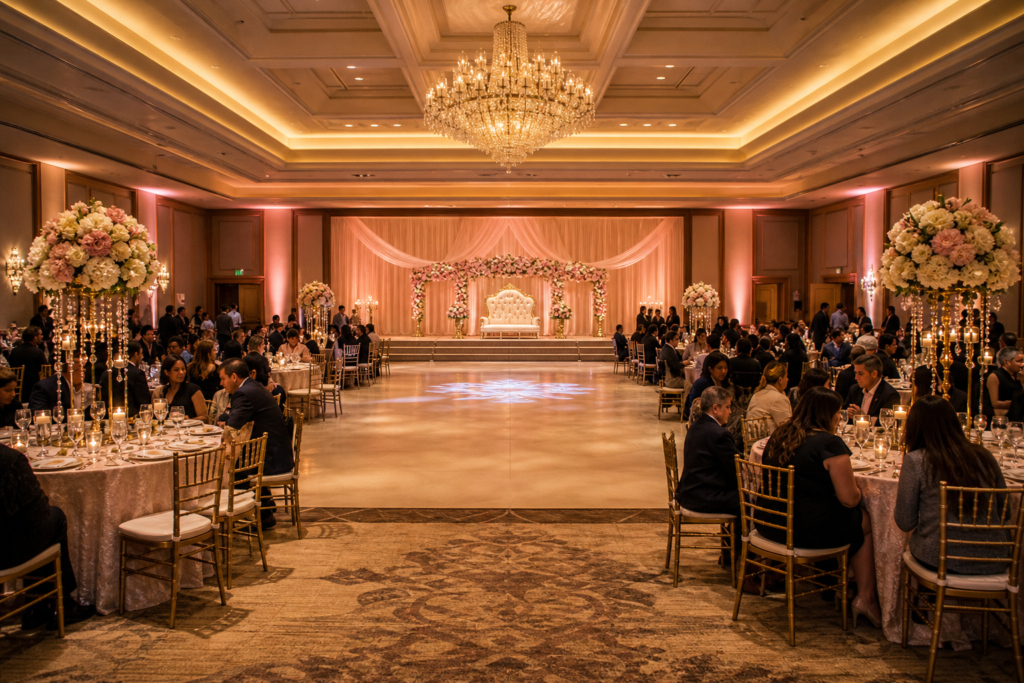
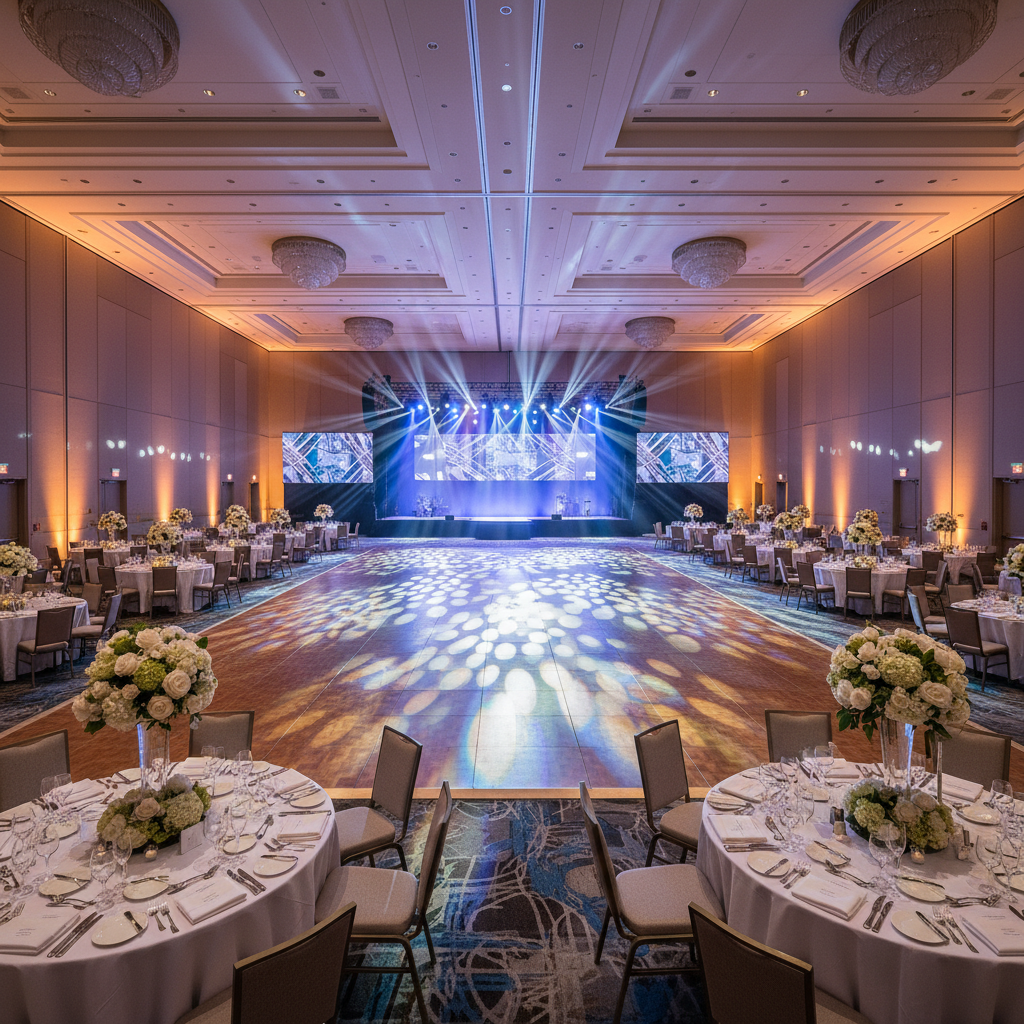
Begin with a controlled stage key and fill, then add backlight for separation. Perimeter uplighting can add colour without placing bright sources in guests’ eyes, while pinspots and textured projections draw attention to selected décor. In a large Mississauga Convention Centre room, this layered approach helps define zones for the stage, dinner, registration, and dance floor.
For a conference, a neutral presenter look might sit around 4000–4500K while the audience remains lower in intensity. For a wedding or gala, a warmer 2700–3200K dinner look may feel more inviting, followed by richer colour and movement after speeches. These are planning references, not universal settings; fixture quality, décor, cameras, and skin tones should be tested on site.
Event lighting best practices
Design three dependable base looks
Most programmes can begin with three foundational looks: a welcoming arrival look, a content look, and a celebration look. Additional cues can refine awards, entrances, dinner service, and performances, but a clear base structure keeps the show manageable when the schedule changes.
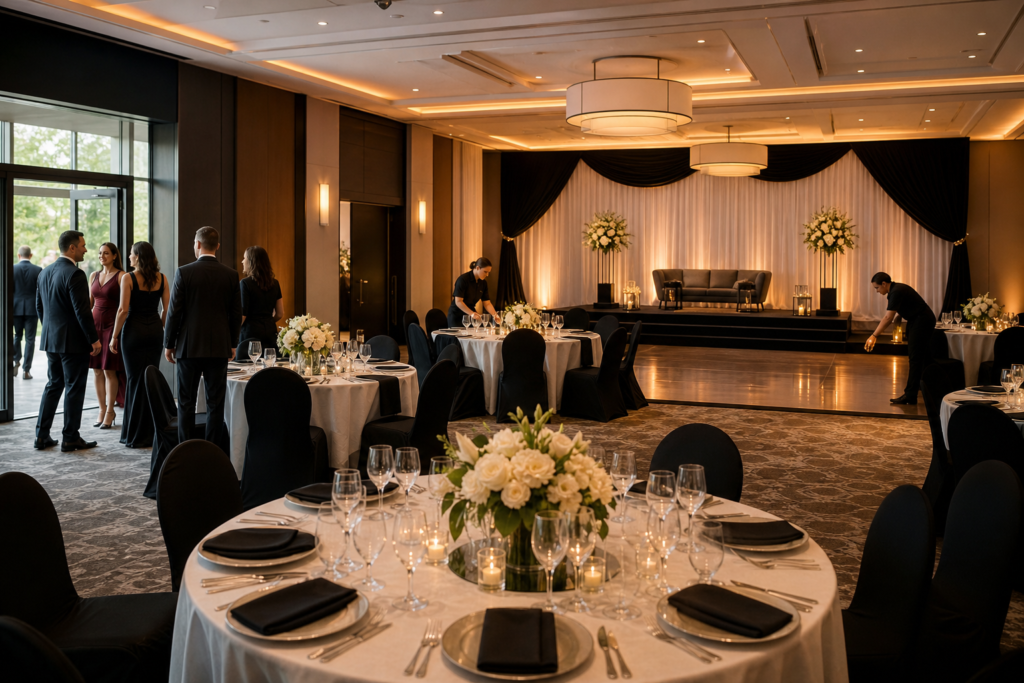
- Arrival: Light registration, entrances, décor, and tables comfortably while keeping the stage available for announcements.
- Content: Prioritize presenters, lecterns, panels, interpreters, screens, and camera positions. Reduce competing colour and movement.
- Celebration: Add colour, movement, texture, and stronger dance-floor focus while preserving enough visibility for staff and guests.
Prevent common production problems
- Flat faces: Add controlled side or backlight and check how people look while seated, standing, and moving.
- Screen glare: Use profiles and shutters, then test with the actual slides, video, or LED-wall content.
- Colour clashes: Check brand colours and saturated effects on skin, décor, and camera feeds before guests arrive.
- Overlit dining: Lower general brightness and use pinspots or practicals to make tables visible without flattening the atmosphere.
- Unclear cues: Number the cue sheet and note the trigger, operator action, fade time, and fallback look.
- Unsafe cabling: Route cables away from guest paths, secure them appropriately, and use suitable cable ramps where crossing is unavoidable.
Technical planning should include power loading, fixture condition, cable inspection, and bonding or grounding requirements. Ontario’s guidance on electrical safety for live-performance equipment is a useful reference for identifying risks; venue and qualified technical requirements still govern the specific installation.
When selecting an event venue in Mississauga, ask how load-in, rigging, technical support, emergency lighting, and event-day access are coordinated. Those operational details can matter as much as the room’s appearance.
Tools, documentation, and venue coordination
A professional result depends on preparation that guests never see. Keep a current light plot, patch sheet, channel list, power plan, cue sheet, show file backup, and contact list. Mark camera positions and projection surfaces on the plot so a late layout change does not create an avoidable glare or sightline problem.
Questions to answer before booking production
- Where can fixtures be rigged or safely supported, and what approvals are required?
- What are the room dimensions, ceiling conditions, stage options, and available power points?
- When can the production team load in, focus, rehearse, and strike?
- Will the event include projection, LED walls, live streaming, photography, or multiple cameras?
- Are haze, outdoor fixtures, moving effects, or temporary structures subject to venue restrictions?
- Who calls the show, and who has authority to change cues during the programme?
At Mississauga Convention Centre, the venue hosts corporate meetings, conferences, exhibitions, proms, weddings, galas, and cultural celebrations. Its seven halls are approximately 4,250 square feet each, with total venue capacity above 2,200 guests and on-site parking. Confirm the specific room, layout, and technical plan for the event rather than assuming every hall has identical requirements.
How the approach changes by event type
Corporate conference or leadership summit
Start with presenter visibility, slide readability, and camera consistency. Use a controlled profile key for the lectern and panel positions, a soft audience wash for note-taking, and restrained branding in the background. Pre-program a walk-in look, a neutral speaking look, a break look, and a reveal or award cue only if the programme benefits from one.
Wedding, gala, or cultural celebration
Prioritize flattering faces, table ambience, entrances, and a smooth change from dinner to dancing. Warm perimeter light, pinspots on centrepieces, and controlled specials for speeches can make the room feel intimate; richer colours and moving effects can be introduced after formalities. Coordinate the timing with the DJ, MC, décor team, photographer, and cultural programme so cues support rather than interrupt important moments.
Prom, graduation, or school awards
Keep awards, entrances, stairs, and audience circulation easy to see. A bright, neutral awards look can transition into textured walls and dynamic dance-floor effects, but low light should never remove the visibility needed for staff supervision or safe egress. Establish who approves effects, haze, blackout moments, and music-linked cues before the event.
Event lighting design basics FAQ
What colour temperature is best for event lighting?
There is no single setting for every event. Conferences often benefit from a neutral presenter look around 4000–4500K, while weddings and galas may use warmer 2700–3200K light for dinner. Test the chosen setting with the room décor, presenters, cameras, and screens before doors open.
How do I stop event lighting from washing out a screen?
Keep uncontrolled beams away from the screen and use profile fixtures with shutters where focused stage light is needed. Test the actual presentation or video content from audience sightlines, then adjust the fixture angle, beam size, intensity, or screen position.
Do event lighting plans need haze?
No. Haze can make beams from moving heads and spots visible, but it is an optional effect rather than a requirement for a successful design. If it is proposed, confirm venue policies, alarm considerations, guest comfort, photography needs, and approval procedures during the advance.
What should be included in a lighting cue sheet?
List the cue number, trigger or caller, look description, fixtures or zones changing, fade time, and fallback action. Include arrival, speaking, award, meal, performance, dance, pause, and full-room visibility looks so the operator and stage manager share the same plan.
Plan lighting around the guest experience
The strongest event lighting design basics are practical: light faces before décor, protect screens, use layers instead of one overpowering source, and create cues that match the programme. Confirm the room, rigging, power, cameras, access, and safety plan early, then test the finished looks with real people and content.
For an event at Mississauga Convention Centre, the in-house audiovisual, lighting, staging, and technical teams can help coordinate the production with the room layout and schedule. Contact the Mississauga Convention Centre to discuss a lighting plan for your conference, wedding, gala, prom, or cultural celebration.