

 11 October, 2026
 Hybrid event production is more than adding a livestream to an in-person meeting. It is a coordinated plan for the physical room, broadcast layer, remote audience, presenters, accessibility, catering, and contingencies.
The right approach is to decide whether hybrid genuinely serves your audience, then confirm that the venue and production team can support the required room configuration, connectivity, remote interaction, and rehearsal schedule.
Key Takeaways
- Hybrid events require a thoughtful approach to ensure meaningful participation for remote attendees.
- Effective planning includes audio, video, lighting, and connectivity considerations as interconnected elements.
- Venue selection is crucial; confirm technical support, room layouts, and catering logistics in advance.
- Technical rehearsals are essential to test all components and ensure a seamless experience.
- Accessibility should be integrated into the planning process, not treated as an afterthought.
Quick summary

- Choose hybrid when remote attendees need meaningful access or participation, not simply a recording.
- Plan audio, presentation video, cameras, lighting, streaming, captions, remote questions, connectivity, and backup systems as one production.
- Ask the venue about room layouts, technical support, internet arrangements, rehearsal access, registration, sponsor areas, parking, and catering timing.
- Run a technical rehearsal using the actual speakers, slides, remote connections, captions, meal breaks, and show cues.
- Give online attendees a deliberate experience with clear audio, visible speakers, moderated interaction, accessible materials, and a contingency plan.
Choose the right event format before planning production
Start with the audience need. In-person-only events suit local meetings, workshops, networking, and experiences that depend on physical interaction. Virtual-first events may work better when most attendees and presenters are remote. Hybrid is appropriate when the in-person experience matters but some participants need to join from elsewhere.
| Format | Best suited to | Advantages | Tradeoffs |
|---|---|---|---|
| In-person only | Local meetings and physical experiences | Simpler production and direct conversation | Excludes people who cannot attend onsite |
| Hybrid | Conferences, seminars, and meetings with local and remote stakeholders | Combines in-room presence with remote access | Requires additional coordination, moderation, and contingency support |
| Virtual-first | Distributed teams and remote training | Consistent delivery for geographically dispersed audiences | Less physical networking and fewer onsite experiences |
Do not select hybrid simply because streaming is available. Define what remote attendees should be able to do. Watching keynotes, asking questions, joining panels, participating in polls, and networking each require different platform, staffing, camera, and rehearsal decisions.
Build the hybrid event as connected production layers

A reliable AV setup for conferences should be planned as a complete system. Confirm which elements the venue or AV team provides and which require separate approval.
- Room audio: Select microphones for presenters, panels, audience questions, and remote contributors. The online audience needs a clean feed without distracting room noise or feedback.
- Presentation video: Confirm how slides, videos, demonstrations, and shared screens reach both audiences. Standardize aspect ratio, file formats, fonts, and embedded media.
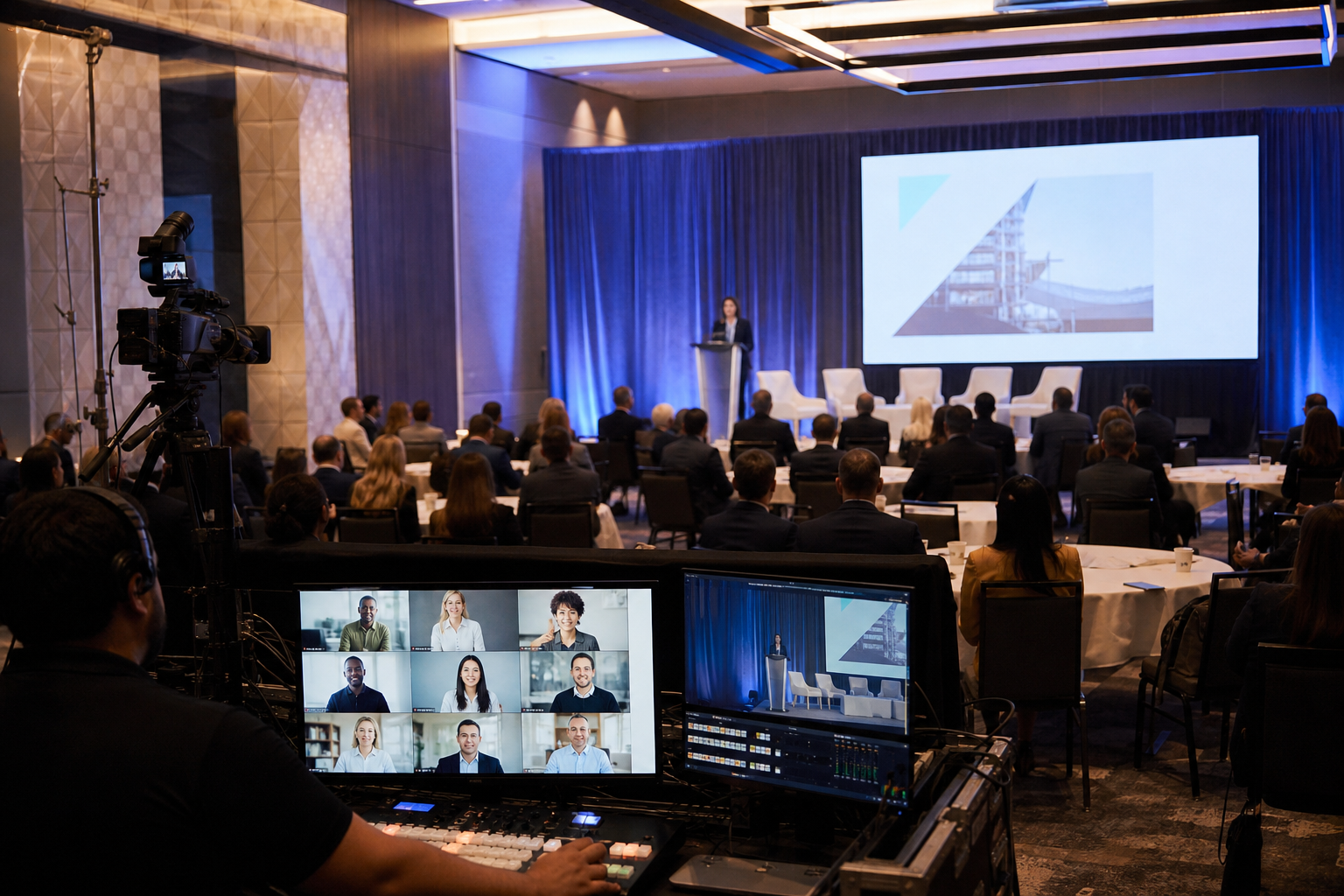
- Cameras: Decide whether remote attendees need speaker, panel, audience, or presentation views. Camera positions must avoid blocked sightlines and backlighting.
- Lighting and staging: Plan stage lighting, screen placement, podium position, and confidence monitors together so speakers are visible onsite and online.
- Streaming and recording: Confirm the platform, access controls, recording expectations, storage, and who starts and monitors the broadcast.
- Remote participation: Plan remote speakers, moderated chat, questions, polls, captions, and a return feed so contributors know when they are live.
- Connectivity and backups: Ask how the event connection will be arranged, what traffic is supported, and what happens if a presenter, platform, or connection fails.
What to confirm with the venue before booking
Venue selection affects the room, broadcast, guest flow, and contingency plan. A conference venue in Mississauga can simplify room layouts, presentation setups, registration, catering, sponsor areas, and attendee flow, but you still need event-specific answers in writing.
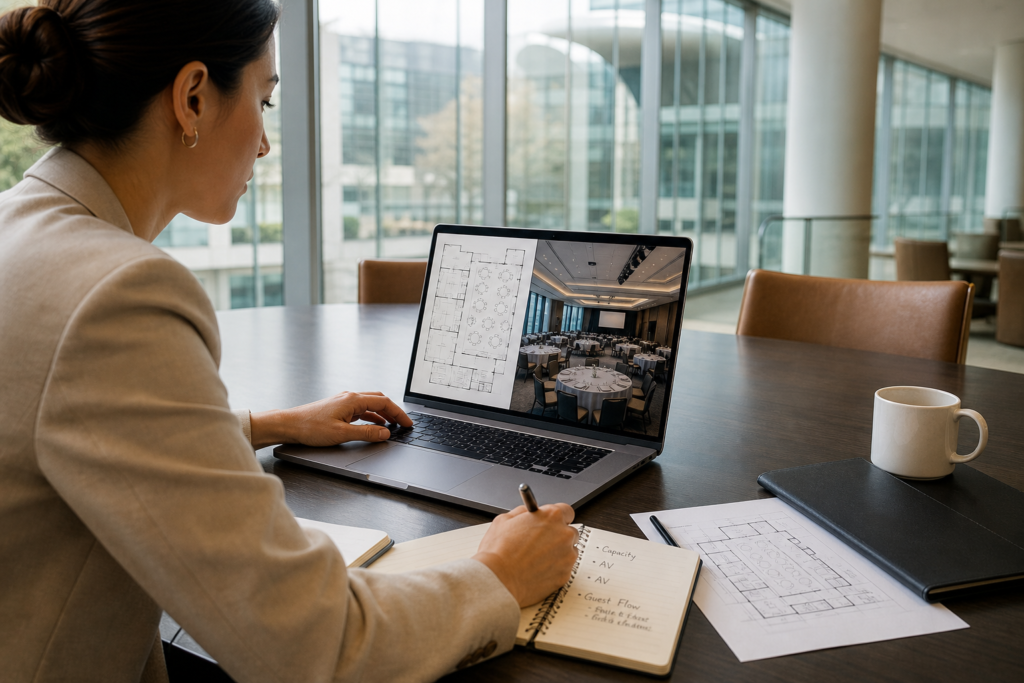
- Room configuration: Can the room support the stage, audience seating, cameras, control position, confidence monitors, registration, sponsor displays, and presenter access?
- Presentation setup: Are stages, podiums, projection screens, microphones, and presentation support available? Which items are included?
- Technical access: When can the production team load in, cable, focus, test, and rehearse?
- Connectivity: What internet arrangement is available for streaming, presenters, and production staff? Who tests it and handles escalation?
- Remote interaction: Can the team support remote questions, remote presenters, captions, recording, and a moderated online audience? Treat each as a capability to verify.
- Audience logistics: Where will registration, sponsor activations, exhibitor booths, networking, and meal service take place?
- Access and parking: Ask about accessible entry, parking, deliveries, and wayfinding for attendees and production vendors.
- Food service: Confirm menu deadlines, dietary information, service style, break locations, and programme timing.
Design the room and broadcast for the same audience experience
Remote attendees should not receive a neglected version of the event. Build the programme so they can see who is speaking, hear every contribution, read the slides, and understand how to participate.
Place the stage and screens so cameras have unobstructed views without forcing onsite attendees to watch through a monitor. Give presenters a confidence monitor or another way to see slides, timing, and remote questions. Test whether presentation content is readable on a laptop-sized stream, not only from the back of the hall.
For panels, establish who controls microphones, how remote panellists join, how questions are selected, and who signals the next speaker. Assign a moderator to protect turn-taking and prevent online questions from disappearing.
Plan the technical infrastructure and remote interaction
Dedicated encoding, wired internet, a return feed for remote Q&A, presenter input checks, labelled connections, network planning, and redundancy can reduce avoidable failures. They do not guarantee uninterrupted streaming, so document what happens when a critical component is unavailable.
Separate production traffic from ordinary attendee use where possible. Lock presenter inputs before show day, label every cable and device, keep approved files in one controlled location, and identify who can switch to backup content. Decide whether questions arrive through chat, a moderated queue, a form, or an on-screen participant.
Create a run of show that keeps both audiences in sync
Your run of show should include technical cues, presentation files, camera shots, microphone changes, remote participation, captions, recording markers, meal service, breaks, and decision owners.
Include run-of-show sync so meal service, speaker transitions, breaks, and broadcast cues remain coordinated. A shared schedule helps catering, staging, AV, the host, and moderation teams understand when the programme pauses and resumes.
| Item | Decision to record |
|---|---|
| Opening | Who welcomes both audiences, and when does the broadcast begin? |
| Speaker transition | Who changes slides, microphones, camera shots, and remote status? |
| Audience questions | Who selects, reads, and routes onsite and online questions? |
| Break or meal | What does the online audience see, and when does the next session begin? |
| Technical issue | Who pauses the programme and approves the fallback? |
Hybrid event production timeline
- Define the brief: Set audiences, goals, format, participation, accessibility needs, and success criteria.
- Select the venue and scope: Confirm rooms, staging, presentation support, connectivity, catering, parking, sponsor areas, and responsibilities.
- Onboard speakers: Share file specifications, remote instructions, deadlines, and technical contacts.
- Review content: Test slides, videos, animations, demonstrations, polls, and shared materials.
- Draft the run of show: Add programme, technical, catering, accessibility, and contingency cues.
- Complete rehearsal: Test every speaker, remote connection, input, question path, caption workflow, and transition.
- Lock final details: Confirm attendee instructions, final files, dietary information, contacts, and escalation procedures.
- Show day: Complete a pre-opening check, brief teams, monitor the room and stream, and log changes.
Run a technical rehearsal that tests real workflows
- Have every onsite and remote presenter join using the device and connection they expect to use.
- Run every presentation file, embedded video, screen share, poll, demonstration, and transition.
- Test microphones, camera framing, lighting, confidence monitors, captions, and presentation readability.
- Send a remote question through the actual moderation path and confirm the return feed.
- Practise opening, closing, breaks, meal transitions, late speakers, and delayed presentations.
- Confirm who can replace a missing file, switch to backup content, pause the stream, or communicate an incident.
Accessibility checklist for onsite and virtual attendees
Accessibility belongs in the brief, not at the end of production planning. Ontario guidance encourages organizers to plan events so people with disabilities can participate, while Canadian guidance highlights clear audio, reliable captions, turn-taking, speaking pace, and multilingual considerations for virtual events. Review the Ontario guide to accessible events and guidance on accessible virtual events. These resources support planning and do not replace event-specific legal or accessibility advice.
- Use clear audio and microphones for every speaker, including audience questions.
- Confirm how captions will be produced, displayed, monitored, and corrected.
- Identify speakers by name and role, and describe relevant visual information.
- Use readable slides with sufficient contrast and accessible shared materials.
- Build in pauses, avoid overlapping speakers, and explain how remote participants request a turn.
- Provide a clear route for requesting accommodations.
Day-of troubleshooting and contingency checklist
- Audio failure: Move to the approved spare microphone or alternate input and notify the stage host.
- Connection instability: Follow the escalation route and use approved backup content or communication.
- Presenter input problem: Switch to the centrally held presentation file while support is provided.
- Remote speaker loss: Move to the next segment or use a prepared question while restoring the connection.
- Caption issue: Tell the host, communicate the limitation, and activate the documented correction process.
- Schedule drift: Have the programme lead decide which transition, question block, or break can be shortened.
Applying the checklist to a Mississauga conference venue
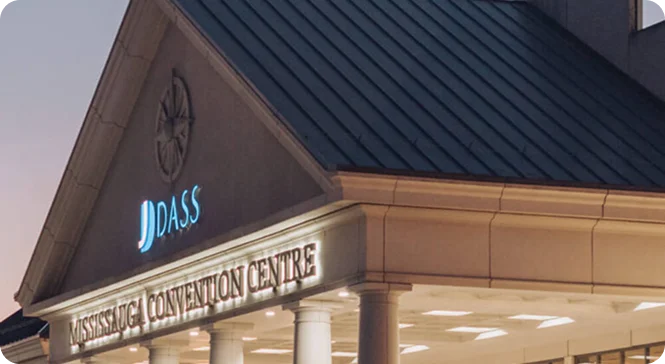
Mississauga Convention Centre is located at 75 Derry Road West and serves corporate meetings, conferences, seminars, exhibitions, and trade shows. Its stated venue information includes seven halls of approximately 4,250 square feet each, total capacity of more than 2,200 guests, and approximately 700 onsite parking spaces.
These facts are starting points for a production conversation. Ask which hall or combination suits your audience, where the control position and cameras would sit, how registration and sponsor areas would work, and whether the configuration supports accessibility and rehearsal requirements.
The venue identifies presentation setups, stages, podiums, projection screens, microphones, audiovisual support, lighting, staging, and technical support among its offerings. Confirm exact equipment, staffing, connectivity, recording, remote participation, and backup arrangements rather than assuming every broadcast service is included.
Questions to ask before you book
- Which room configuration supports our audience, cameras, stage, screens, registration, and sponsor areas?
- What AV, lighting, staging, microphones, presentation equipment, and technical support are included?
- What connectivity is available, who tests it, and who handles escalation?
- Can the team support remote Q&A, remote presenters, captions, and recording?
- What are the load-in, setup, access, and rehearsal windows?
- Who operates production and serves as the technical escalation contact?
- How will meal service and breaks align with the run of show?
- What accessibility and accommodation processes should we plan?
- How many parking spaces, registration areas, sponsor zones, and exhibitor spaces can the configuration support?
- What fallback procedures cover missing content, speaker loss, connectivity problems, or schedule changes?
Frequently asked questions
What is included in hybrid event production?
It includes coordinated planning for the room, audio, presentation video, cameras, lighting, staging, streaming, remote participation, captions, connectivity, recording, moderation, rehearsals, and contingencies. The exact scope must be confirmed with the venue and production team.
How early should a technical rehearsal take place?
Schedule it early enough to correct room, content, speaker, accessibility, and connectivity problems. Rehearse after the real speakers, files, platform, and run of show are available.
What should a venue provide for remote Q&A?
Ask about a return feed, moderation process, question routing, microphones for onsite questions, and a clear handoff between the online moderator and stage host.
How can catering stay synchronized with a hybrid schedule?
Put meal service, breaks, room resets, announcements, and broadcast transitions in the same run of show so every team understands when the programme pauses and resumes.
What accessibility features should a hybrid conference include?
Plan for clear audio, reliable captions, readable visuals, speaker identification, sensible pacing, orderly turn-taking, accessible digital materials, and accommodation requests.
What should I ask a Mississauga venue about connectivity?
Ask what connection options are available, who manages testing, what production traffic is supported, when testing can occur, and what escalation and fallback procedures apply.
Plan hybrid as one coordinated event
The strongest hybrid events are designed as one experience with two audience pathways. Choose the format based on a real participation need, then connect the room layout, broadcast layer, remote interaction, accessibility plan, catering schedule, rehearsal, and contingencies through one detailed run of show.
Before signing a venue agreement, request written answers about the selected room, AV scope, connectivity, remote Q&A, technical staffing, rehearsal access, accessibility support, catering timing, parking, and fallback procedures.
Mississauga Convention Centre serves corporate events, conferences, seminars, exhibitions, and trade shows at 75 Derry Road West. Visit Mississauga Convention Centre to discuss your audience size, event format, AV and connectivity requirements, rehearsal needs, accessibility considerations, and catering schedule.