

 13 October, 2026
 “AV required” is not a complete conference request. To receive an accurate venue quote and avoid show-day surprises, describe your audience, rooms, session formats, content, presentation connections, staging, lighting, testing, and technical support needs.
The right approach is to create an event-specific AV brief before you book. General venue capability does not automatically confirm specific equipment, quantities, room coverage, recording, or hybrid services. Those details should be reviewed and confirmed for your program.
Key Takeaways
- Define your audience, session formats, and technical needs before booking a venue.
- Mississauga Convention Centre offers professional audiovisual systems and customizable room layouts.
- Always confirm equipment availability and technical support specifics with the venue.
- Plan for different session types, including plenary, panel, and breakout sessions.
- Testing and a detailed AV brief are essential for a successful event.
Quick summary

- List every room, session format, audience size, presenter need, and content type.
- Separate requirements for audio, video, presentation inputs, staging, lighting, networking, recording, and technical support.
- Ask what the venue includes, what is optional, what requires an outside vendor, and what must be tested in advance.
- Plan plenary, panel, workshop, classroom, and breakout rooms separately.
- Mississauga Convention Centre provides professional audiovisual systems, lighting, staging, and technical support, but event-specific equipment and inclusions still require confirmation.
What conference AV specifications should include
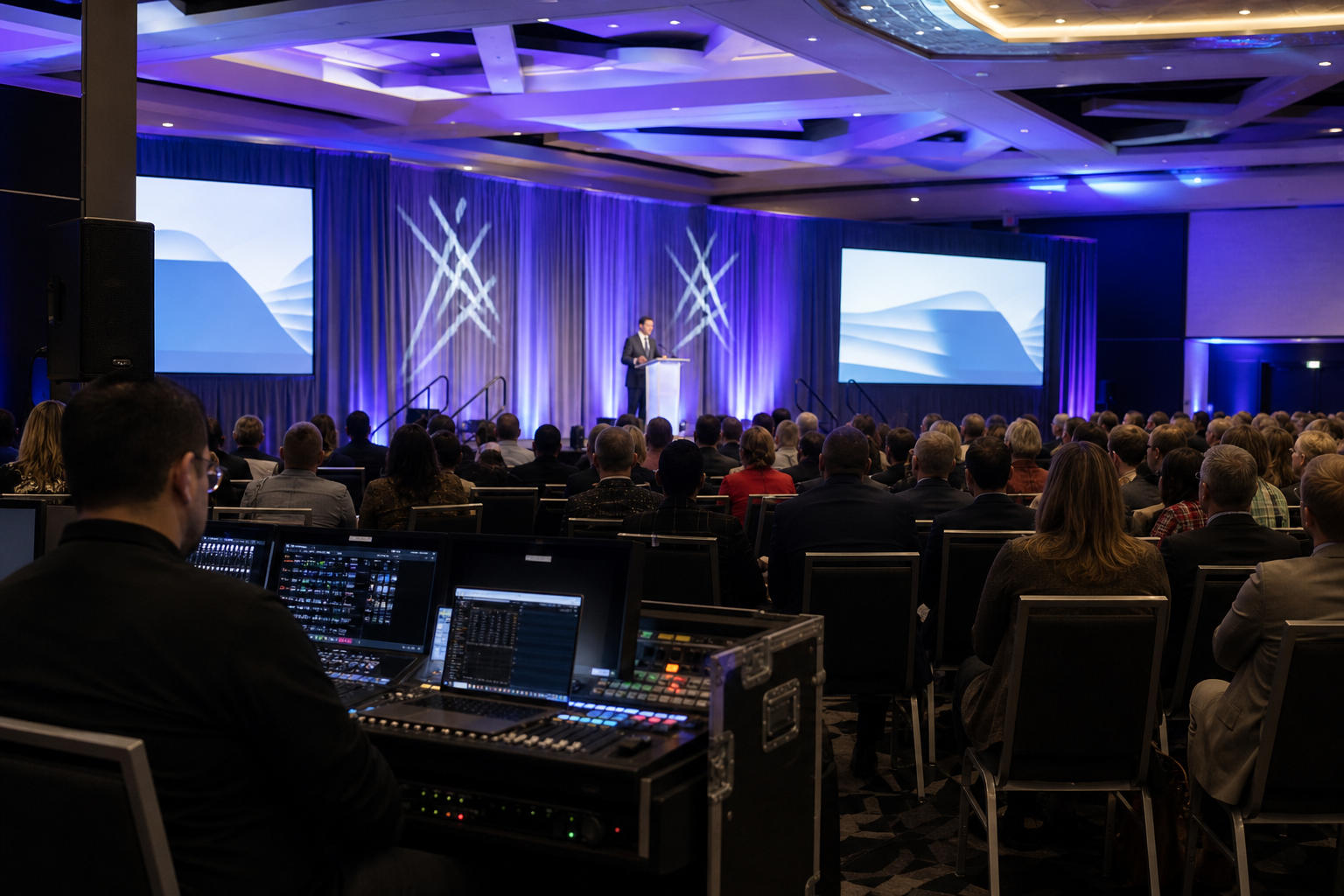
A complete conference AV specification describes the path from the first presenter connection to the final session. It should cover sound reinforcement, displays or projection, presentation inputs, signal distribution, staging, lighting, power, networking, recording, show control, testing, and live technical operation.
Start with the outcome you need. Is the priority clear speech in a large plenary, a smooth panel discussion, readable training content, audience participation, recorded sessions, or remote access? The answer determines which equipment and support questions matter most.
A reliable conference AV setup should be planned from discovery through testing, show operation, and post-event review. Include a room plot, session schedule, equipment list, presenter requirements, and contingency plan in the brief.
Start with the event and session requirements

Before choosing microphones or displays, define how the conference will work. Record the event dates, access times, expected attendance, number of rooms, session schedule, presenter count, and whether sessions run concurrently.
Then classify each session. A plenary may need broad speech coverage, presentation visuals, stage lighting, and a lectern or panel setup. A workshop may need a smaller display, audience interaction, flexible furniture, and easy presenter movement. Classroom training may require readable content for every participant, while networking sessions may need background audio, announcements, and minimal staging.
Panels create different requirements from single-speaker presentations. You may need several microphones, panel furniture, moderator access, audience questions, playback audio, and a clear way to manage handoffs. Breakout rooms need their own room-level plan, even when they use a standard format.
Mississauga Convention Centre describes conference spaces that can support presentations, workshops, networking sessions, panel discussions, and training programs. Its seminar spaces can also be arranged in theatre, classroom, U-shape, boardroom, cabaret, or custom layouts, making session format an important part of the initial AV conversation.
Audio specifications: make every voice clear
Your audio section should state who needs a microphone and how each person will move. Identify the lead presenter, co-presenters, moderators, panelists, audience questioners, performers, and anyone joining remotely.
- Microphone types: Ask whether presenters need handheld, lavalier, headset, lectern, or table microphones.
- Quantity: List the maximum number used at one time, not only the total number of speakers.
- Audience participation: Explain whether staff will carry microphones for questions.
- Playback: Note whether videos, music, demonstrations, or announcements need sound reinforcement.
- Coverage: Ask how speakers will be placed for the room, seating plan, stage, and audience area.
- Testing: Request a sound check using the actual microphones, presenter positions, playback content, and room layout.
Do not assume a microphone count can be copied from another event. Panel size, presenter movement, room geometry, and live transitions can change system and operator requirements.
Video and presentation specifications
Describe what attendees must see, where they will sit, and what presenters will bring. Include slide decks, videos, demonstrations, remote speakers, confidence content, timers, sponsor material, and any need to show several sources during one session.
- List the number and position of audience-facing screens or displays.
- Identify whether presenters need a lectern connection, stage input, wireless presentation, or dedicated operator.
- Confirm supported input types, adapters, cable lengths, aspect ratios, and presenter-view arrangements.
- Ask how video playback, embedded audio, captions, or demonstrations will be tested.
- Specify whether a moderator, presenter, or technician will control content changes.
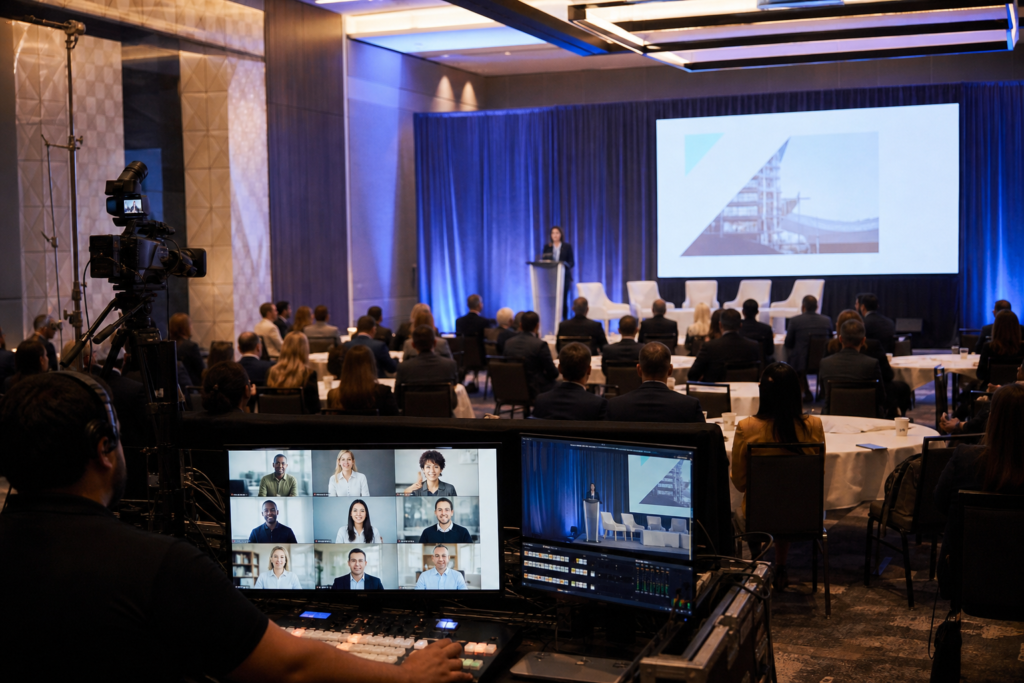
- Confirm whether recording, livestreaming, remote presenters, or videoconferencing are required.
An official Ontario multimedia boardroom page illustrates the detail that can appear in a room specification, including dual displays, HDMI inputs, table microphones, and wireless presentation connectivity. These are questions to ask, not specifications for Mississauga Convention Centre. The venue should confirm its own available equipment and connections.
Room layout changes the AV plan
Room layout affects sightlines, speaker placement, microphone access, camera positions, stage access, and presenter movement. Include a floor plan with seating, stage, lectern, screens, control position, registration, and sponsor or exhibitor areas.
In theatre seating, focus on sightlines, speech coverage, screen size and position, and late-arrival access. Classroom layouts may require displays that remain visible around tables, while U-shape and boardroom layouts place greater emphasis on table microphones, discussion coverage, and viewing angles.
Cabaret layouts can introduce uneven sightlines and may require careful screen placement. Custom layouts should be reviewed before furniture is finalized. When translating conference AV specifications into a floor plan, flexible event spaces can support different room sizes, presentation formats, and audience capacities, but each configuration still needs confirmation.
Staging, lighting, and show control
Staging is more than a platform. Specify whether you need a lectern, panel furniture, branded backdrop, presenter steps, accessible stage access, confidence display, or demonstration space. Confirm dimensions, access, finish, and restrictions rather than assuming they are included.
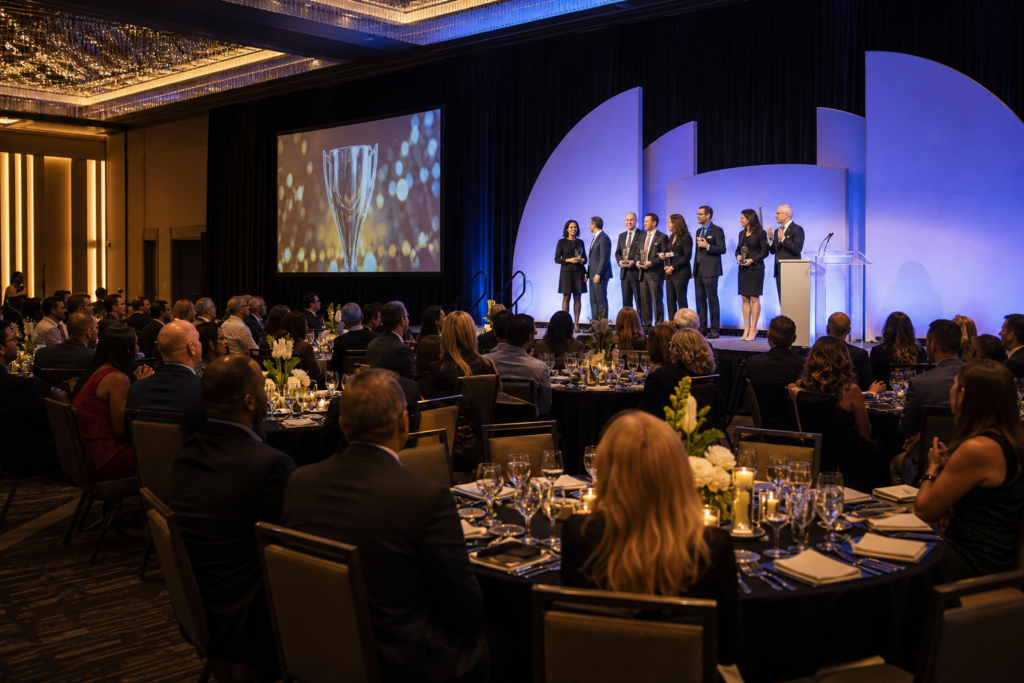
Lighting should support both the audience experience and the content. Identify presenter lighting, panel lighting, stage color, sponsor visibility, recording, and transitions. Ask how room lighting will be controlled and whether changes require an operator.
Show control connects the schedule to technical operation. Provide cue points for walk-on music, videos, speaker introductions, slides, applause, breaks, and announcements. A detailed run of show helps the technical team anticipate transitions.
Breakout and multiroom conference planning
For concurrent sessions, create one AV line item for every room. Record the room name, layout, audience size, session type, presenter count, microphones, displays, inputs, playback needs, support level, and turnover time.
Standardized room kits can simplify presenter instructions, but do not assume every hall has identical equipment. Confirm availability in each room, technician locations, and issue escalation procedures.
Also plan the attendee journey. Registration, signage, room names, presentation files, accessibility needs, and technical contacts should match the room plan. If one room runs late, define who can adjust the schedule.
Basic, enhanced, and hybrid-ready AV planning
Use this comparison to decide how detailed your brief needs to be. “Hybrid-ready” describes requirements to confirm, not a guaranteed venue service.
| Planning level | Typical requirements | Questions to confirm |
|---|---|---|
| Basic | In-room speech, presentation display, presenter connection, lighting, and a sound check. | How many microphones, displays, inputs, and technicians are included? |
| Enhanced | Panels, playback audio, additional displays, staging, programmed lighting, audience questions, or recording. | Who operates transitions, playback, lighting, recording, and panel microphones? |
| Hybrid-ready | Remote speakers or attendees, cameras, streaming or conferencing platform, return audio, recording, and network planning. | Which platform, network, cameras, operators, permissions, and backup methods are supported? |
Conference AV brief template
Use this structure in your venue request and complete one version for the main room and each breakout room:
- Event: Date, access time, event hours, attendance, and event contact.
- Rooms: Room names, layouts, seating counts, stage position, registration, and concurrent sessions.
- Program: Plenary, panel, workshop, classroom, networking, or training format.
- Audio: Presenter, panel, moderator, audience, playback, and remote-participant microphone needs.
- Video: Screens, content sources, confidence view, remote speakers, recording, and camera requirements.
- Connections: Devices, input types, adapters, cables, wireless presentation, and file deadlines.
- Stage and lighting: Lectern, furniture, backdrop, presenter lighting, transitions, and accessibility.
- Operations: Rehearsal, sound check, presenter advance, technician coverage, show caller, turnover, and escalation contact.
- Contingencies: Backup files, spare connection options, replacement microphone plan, and failure procedures.
Questions to ask before booking
- Which AV services and equipment are included in the quoted package?
- What is optional, charged separately, or available only through an outside vendor?
- What equipment quantities and connections are available in each room?
- Are technicians present throughout the program, during setup only, or by request?
- When can the production team load in, build, test, and rehearse?
- What are the procedures for power, cable routing, presenter access, and room resets?
- Can the venue support recording, livestreaming, remote speakers, or videoconferencing?
- What network, platform, camera, operator, and backup details must the client supply?
- Can outside production vendors be used, and what coordination is required?
- Who is the day-of technical contact?
Testing, presenter advance, and show-day support
Specifications become useful only when they are tested. Collect final presentation files, review embedded videos and audio, confirm adapters and input paths, and identify presenters who need additional support.
Schedule a technical walkthrough when the event includes multiple rooms, complex transitions, remote participation, recording, unusual demonstrations, or tight turnovers. Verify sightlines, microphone positions, screen visibility, stage access, lighting cues, playback, presenter connections, and room resets.
On show day, complete a room-by-room check before attendees arrive. Keep backup presentations, spare connection options, an escalation list, and a clear procedure for equipment or playback failure.
How Mississauga Convention Centre fits the planning process
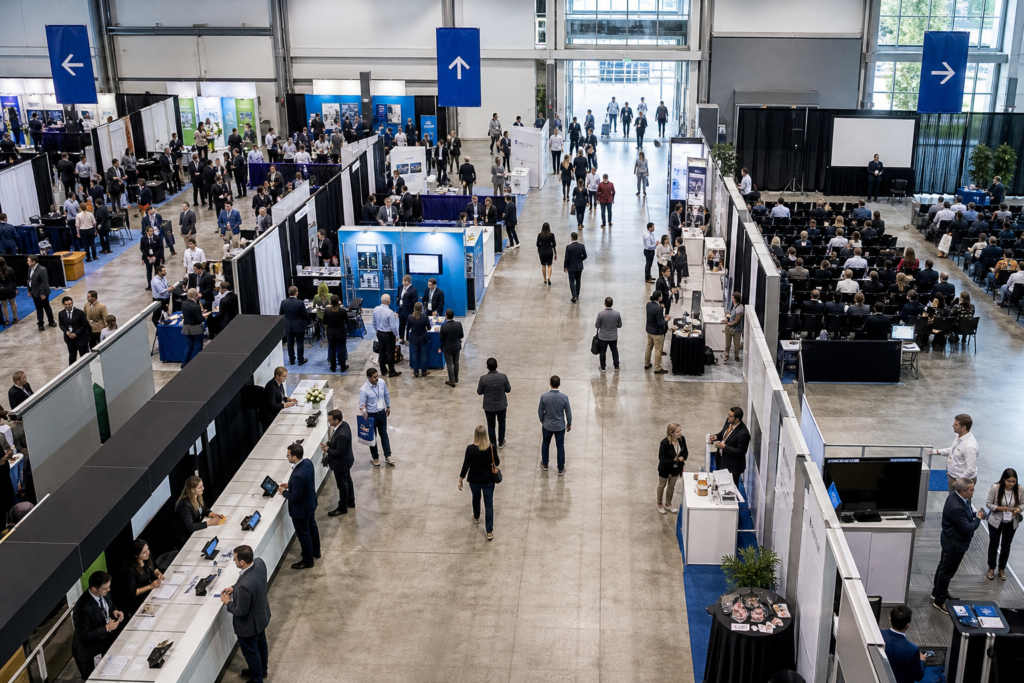
Mississauga Convention Centre is located at 75 Derry Road West in Mississauga and serves corporate meetings, conferences, seminars, exhibitions, and trade shows. Its published event services include professional audiovisual systems, lighting, staging, and technical support.
The venue describes conference facilities that can accommodate formats ranging from executive meetings to large conferences with more than 1,000 attendees. It also supports customizable room layouts, registration areas, schedules, and conference requirements. For training and educational programs, modern presentation capabilities can be matched to theatre, classroom, U-shape, boardroom, cabaret, or custom layouts.
These capabilities make the venue relevant to planners who need a coordinated conference environment, but they do not replace an event-specific AV review. Ask the venue to confirm equipment, quantities, room availability, package inclusions, technical staffing, and hybrid or recording requirements in writing.
Frequently asked questions
What should I include in a conference AV request?
Include the date, access times, attendance, room list, layouts, session formats, presenter count, microphones, displays, inputs, playback, staging, lighting, networking, recording, hybrid requirements, testing schedule, and support expectations.
Is venue AV automatically included in a conference package?
Not necessarily. A venue may provide professional AV systems and technical support while quoting equipment, staffing, recording, or hybrid services according to the event. Ask for a room-specific list of included, optional, and externally supplied services.
What AV specifications should I confirm for breakout rooms?
Confirm the layout, audience size, microphones, display position, presenter connection, playback needs, technician coverage, reset process, and time between sessions. Do not assume equipment or staffing is identical across rooms.
When should I schedule a technical walkthrough?
Schedule one after the room plan and program are substantially developed, before final production decisions are locked. It is especially useful for multiroom conferences, panels, complex staging, recording, remote presenters, livestreaming, or tight turnovers.
Conclusion: turn AV needs into a confirmed brief
The strongest conference AV specifications are not long equipment wish lists. They connect each requirement to a session, room, audience, content type, presenter movement, and support need.
Start with the program, create a room-by-room brief, ask what is included, and test the complete setup before attendees arrive. Treat recording, networking, remote participation, and exact equipment quantities as items to confirm rather than assumptions.
To discuss your conference format, room requirements, and AV brief, contact Mississauga Convention Centre in Mississauga.