

 05 October, 2026
 A reliable AV staging setup checklist is more than a list of microphones, screens, and cables. It is a written plan that connects your agenda, room layout, presenter needs, technical requirements, safety checks, and responsibilities before event day.
Start by defining what the event must accomplish, then document how attendees will see and hear the program. Confirm what the venue includes, what a production team must supply, and what still needs testing. This approach works for corporate meetings, conferences, seminars, trade shows, and gala events.
Key Takeaways
- Creating a detailed AV and staging brief is essential for effective event planning.
- Room layout significantly impacts sound, visibility, and audience engagement.
- Conducting a technical rehearsal is crucial to ensure all equipment functions properly.
- Documenting responsibilities and quote inclusions helps avoid misunderstandings.
- Accessibility and safety checks are vital for a successful event setup.
Quick summary

- Write an AV and staging brief before requesting or approving a final quote.
- Assess the room, seating, sightlines, presenter movement, audio coverage, and stage position together.
- Confirm equipment, operators, setup, teardown, rehearsal time, technical support, and additional charges in writing.
- Check power, cable routes, accessibility, trip hazards, and certified electrical equipment with the appropriate venue or production professionals.
- Run a technical rehearsal, resolve open issues, and complete a short show-day walk-through.
1. Start with a written AV and staging brief
Begin with the event rather than the equipment. Record the event type, date, attendance, agenda, room format, stage position, speakers, panelists, presentation formats, videos, branding, lighting expectations, staging needs, remote participation, testing, rehearsal, setup, teardown, and technical support.
Describe the outcome you need. For example, a panel discussion may require clear speech for every panelist and smooth speaker changes, while a product presentation may require strong presentation visibility, playback testing, and a defined cueing process. A useful AV brief helps a venue respond to the actual event instead of interpreting “AV required” in general terms.
Stop point: Do not approve a final setup or quote until the brief identifies the agenda, room arrangement, technical activities, testing expectations, and responsible parties.
2. Assess the room, audience, and layout

Room layout determines how sound travels, where presenters can move, what attendees can see, and where displays or cameras can be positioned. Review the expected audience, presentation style, panel size, audience participation, meal service, networking, demonstrations, and any exhibition elements before choosing a configuration.
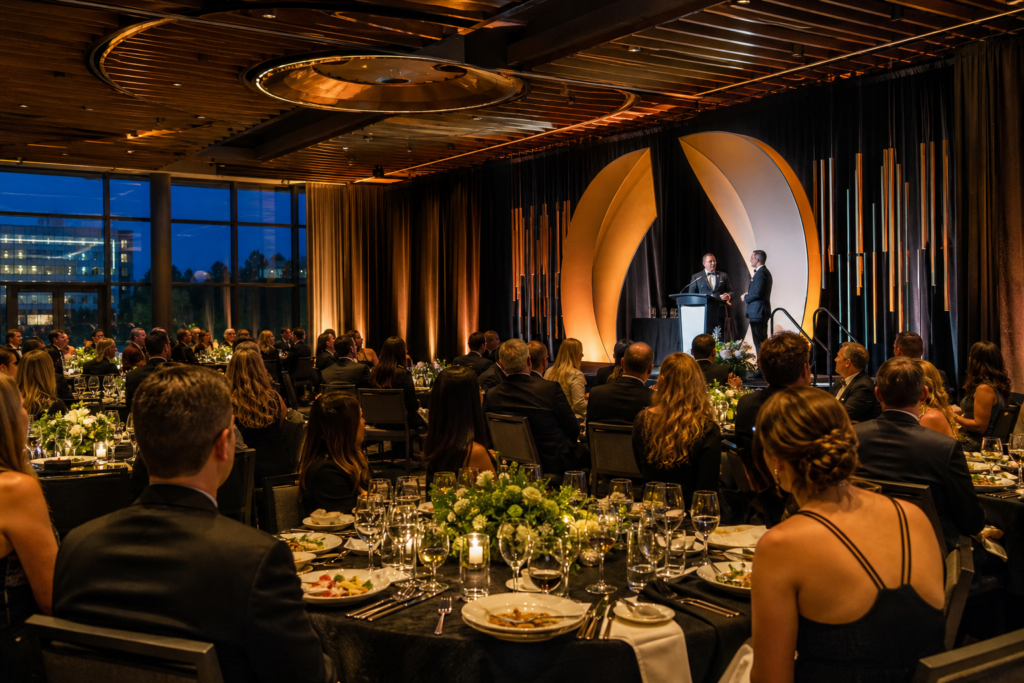
Classroom and theater arrangements can prioritize forward-facing presentations. Boardroom or hollow-square arrangements support discussion and eye contact but can make camera coverage and display placement more difficult. Banquet and gala layouts introduce additional sightline and speech coverage considerations, while trade show arrangements must account for exhibitor access and visitor flow.
During a site visit, walk the room from the audience, stage, control position, and entrance. Confirm the assigned room rather than relying only on a general venue description. A venue with multiple halls can support different event scales, but the suitable configuration still depends on your specific attendance and program.
3. Map sightlines, presenter movement, and staging
Mark where attendees, speakers, panelists, operators, and cameras will be positioned. Check whether every audience section can see the presentation area, lectern, stage activity, and any displays without turning excessively or looking through an obstruction.
Document the stage or presentation area, lectern location, walk-on route, presenter holding area, branding locations, panel seating, confidence-monitor needs, and operator position. If the event includes videos, demonstrations, or a remote contributor, include those viewing and cueing requirements in the same layout review.
Stop point: Revise the layout if any attendee group must stand, twist, look around an obstruction, or depend on an unconfirmed display to follow the program. Do not solve a sightline problem by adding equipment before confirming that the room arrangement itself is appropriate.
4. Specify the audio plan before the visuals
Audio problems can make an otherwise polished event unusable, so list every person and activity that must be heard. Include keynote speakers, panelists, audience questions, moderators, announcements, walk-on music, videos, playback content, and remote contributors if applicable.
Ask the venue or production team to confirm the suitable sound arrangement, microphone coverage, sound-check ownership, operator availability, adjustments during the event, and backup procedures. Do not assume that a general statement about professional audiovisual systems confirms a particular microphone type, quantity, speaker arrangement, operator, or backup device.
Include speaker transitions in the rehearsal plan. Test speech, playback, handoffs, and audience questions from the positions where they will actually occur. The room, seating, presenter movement, and acoustic conditions should guide the final audio plan.
5. Plan displays, presentation content, and cameras
Separate the visual result from the equipment request. State what attendees must see, where they must see it, and how presenters will control or monitor content. List slide presentations, videos, demonstrations, logos, lower-thirds, captions, remote participants, recording needs, and any platform-specific requirements known at the planning stage.
Confirm the presentation handoff process. Decide whether files will be collected in advance, supplied on a presenter device, or managed through another agreed workflow. Test videos with sound, transitions, fonts, aspect ratios, and embedded content rather than checking only that a slide deck opens.
Cameras, streaming, recording, bandwidth, and hybrid participation must be confirmed for the specific event. They should not be inferred from a venue’s general AV description. If remote participation matters, document who supplies the platform, manages the call, monitors remote audio, supports presenters, and handles a connection failure.
6. Coordinate lighting and staging requirements
Lighting should make presenters visible, support the desired atmosphere, and work with any camera or recording plan. Document the presentation area, speaker movement, panel arrangement, branding, décor, audience focus, and any transitions between presentations, meals, performances, or awards.
Describe staging as an activity and space requirement, not only as a product name. Confirm the intended stage arrangement, access routes, lectern position, furniture, branding surfaces, and clearance with the venue or qualified production team. Exact dimensions, load limits, rigging points, and room-specific capabilities require event-specific confirmation.
Every lighting or staging enhancement should appear clearly in the quote. Ask whether it is included in the selected package, supplied by the venue, operated by venue technicians, priced separately, or assigned to an external production team.
7. Confirm power, connectivity, cable routes, and backups
Create a device and connection list that names each input, source, display, playback device, control position, and network-dependent function. Label cable routes and identify who supplies adapters, signal conversion, extension equipment, and backup devices.
Ask where power is available, how equipment will be connected, whether dedicated network access is required, and who is responsible for troubleshooting. Do not assume that advertised AV capability confirms power capacity, connection type, bandwidth, cable length, or backup availability.
Use a written issue log during testing. Record the problem, assigned owner, resolution, and fallback plan. Qualified venue or production professionals should confirm electrical distribution and any specialized requirements. Ontario guidance states that electrical equipment used in temporary performance setups must be approved and bear the certification mark of an appropriately accredited certification organization. Review the Ontario electrical guidance for the applicable safety principle.
8. Complete electrical, safety, and accessibility checks
Inspect cable paths, entrances, aisles, exits, presenter routes, audience circulation, and operator positions. Keep wires out of walking paths where possible and use an approved method for securing or covering any unavoidable crossing. Do not alter electrical systems or rigging without the venue and qualified professionals.
Check that people using mobility devices can reach the relevant seating, presentation areas, washrooms, and exits. Make emergency and safety information available in a form attendees can access. Ontario accessibility guidance identifies electrical wires as trip hazards and recommends addressing barriers and safety information during event planning. Use the Ontario accessible-events guidance as a planning reference.
Stop point: Do not open the room to attendees while a cable route, blocked aisle, inaccessible movement path, unapproved electrical device, or unclear emergency route remains unresolved.
9. Put responsibilities and quote inclusions in writing
A strong brief distinguishes planning decisions from venue confirmations and production tasks. Use a responsibility matrix like this before signing off:
| Planner decides | Venue confirms | Production team supplies or operates |
|---|---|---|
| Agenda, audience, layout, speakers, content, branding, and desired outcome | Assigned room, available services, setup rules, access, support hours, and package inclusions | Agreed equipment, operators, setup, cueing, testing, and troubleshooting |
| Audio, visual, lighting, staging, hybrid, and accessibility requirements | Power, connectivity, room conditions, technical contacts, and permitted installation methods | Device connections, cable management, playback, backups, and technical operation |
| Rehearsal schedule, show flow, and approval of the final plan | Rehearsal access, technician availability, overtime terms, teardown rules, and additional charges | Technical rehearsal, show-day support, changeovers, and documented fallback procedures |
Ask for each item to be marked included, excluded, client-supplied, separately priced, or subject to confirmation. This is especially important for operators, rehearsal time, setup and teardown, remote participation, recording, additional technician hours, and custom lighting or staging.
10. Run a technical rehearsal with stop points
Use the rehearsal to test the complete sequence, not isolated equipment. Start with power and connectivity, then verify every input, microphone, presentation file, video, playback source, display, lighting cue, stage transition, and presenter handoff.
Walk the room from several audience positions. Rehearse speakers entering, using the lectern, joining a panel, answering questions, and moving away from the presentation area. Test remote participation if it is part of the event, then confirm the fallback if the connection, platform, or remote audio fails.
Use these stop points:
- Stop if speech is unclear, distorted, missing, or not covered in an audience section.
- Stop if presentation content is unreadable, playback audio is absent, or a required input has no confirmed owner.
- Stop if stage movement, lighting, or sightlines create a visibility or safety problem.
- Stop if no named person can make technical adjustments during the event.
For a broader sequence covering room assessment, cameras, microphones, lighting, power, backups, rehearsal, and day-of timing, use these conference room setup tips.
11. Complete the final show-day walk-through
Keep the final walk-through shorter than the technical rehearsal. Confirm that the room matches the approved plan, devices are connected and labeled, presenter files are available, microphones are placed, lighting and staging are in position, and the technical contact is present or reachable.
- Check stage, lectern, panel seating, displays, audience seating, and accessible routes.
- Confirm input labels, playback files, cue notes, presenter order, and operator instructions.
- Inspect cable safety, aisles, exits, emergency information, and equipment placement.
- Verify the contact for technical adjustments, venue operations, and emergencies.
- Confirm when equipment will be removed and who controls teardown access.
Questions to ask an event venue before finalizing the setup
When comparing an event venue, ask questions that convert broad capabilities into event-specific commitments:
- Which professional AV systems, lighting, staging, and technical support are available for this room and event format?
- What is included in the quote, and what requires a separate charge or production provider?
- Who sets up, operates, tests, adjusts, and removes each technical element?
- When can the team access the room for setup and rehearsal?
- Who is available during the event if audio, visuals, lighting, or connectivity needs adjustment?
- What power, network, cable-routing, loading, and accessibility requirements must be confirmed before arrival?
- Are remote participation, recording, streaming, or specialized production services available for this event, and under whose responsibility?
- What happens if the schedule changes or additional technician time is needed?
Mississauga Convention Centre identifies professional audiovisual systems, lighting, staging, and technical support among its corporate event services. Confirm the exact equipment, staffing, testing, and inclusions for your date and program rather than assuming that every service is part of a standard package.
Copy-and-send AV staging checklist
Send the following information to the venue or production team and request written confirmation:
- Event date, type, attendance, agenda, room, seating layout, and stage position.
- Speakers, panelists, audience participation, presenter movement, and show cues.
- Audio requirements, presentation files, videos, playback, displays, cameras, and remote participation.
- Lighting, staging, branding, décor, furniture, accessibility, and audience-flow requirements.
- Power, connectivity, cable routes, input sources, device labels, backups, and technical contacts.
- Setup, teardown, sound check, technical rehearsal, operator coverage, and show-day support.
- Included services, client-supplied items, add-ons, overtime, additional charges, and fallback procedures.
FAQ
What should an AV staging setup checklist include?
It should include the agenda, attendance, room layout, sightlines, audio, presentation content, displays, cameras or remote participation, lighting, staging, power, connectivity, cable safety, accessibility, setup, teardown, rehearsal, technical support, backups, and quote responsibilities.
Who is responsible for AV setup and technical support at an event venue?
Responsibility depends on the contract and event plan. The venue may confirm room services and available technical support, while a venue technician or production team may handle setup, operation, testing, and troubleshooting. Put each task and owner in writing.
Should a technical rehearsal be included in the venue quote?
Ask for rehearsal access, duration, staffing, equipment availability, and any additional technician or room charges to be stated in the quote. A general AV inclusion does not automatically confirm rehearsal time or operator coverage.
How can planners check electrical and accessibility risks in an event setup?
Inspect cable routes, walking paths, aisles, exits, accessible movement routes, emergency information, and equipment certification with the venue or qualified professionals. Resolve trip hazards, blocked routes, inaccessible areas, and unapproved equipment before attendees enter the room.
Conclusion: finalize the brief before booking the setup
The best AV staging setup checklist begins with the event’s purpose and ends with a tested, assigned, and safe operating plan. Match the room and layout to the agenda, specify audio before choosing visual details, document lighting and staging requirements, and separate venue responsibilities from production-team tasks.
Before show day, confirm every quote inclusion, test the complete sequence, resolve sightline and sound problems, and complete the final safety and accessibility walk-through. If a requirement is unconfirmed, treat it as an open planning issue rather than an assumed capability.
For corporate meetings, conferences, seminars, trade shows, and gala events requiring professional audiovisual systems, lighting, staging, and technical support, contact Mississauga Convention Centre to discuss the requirements for your event.