

 20 September, 2026
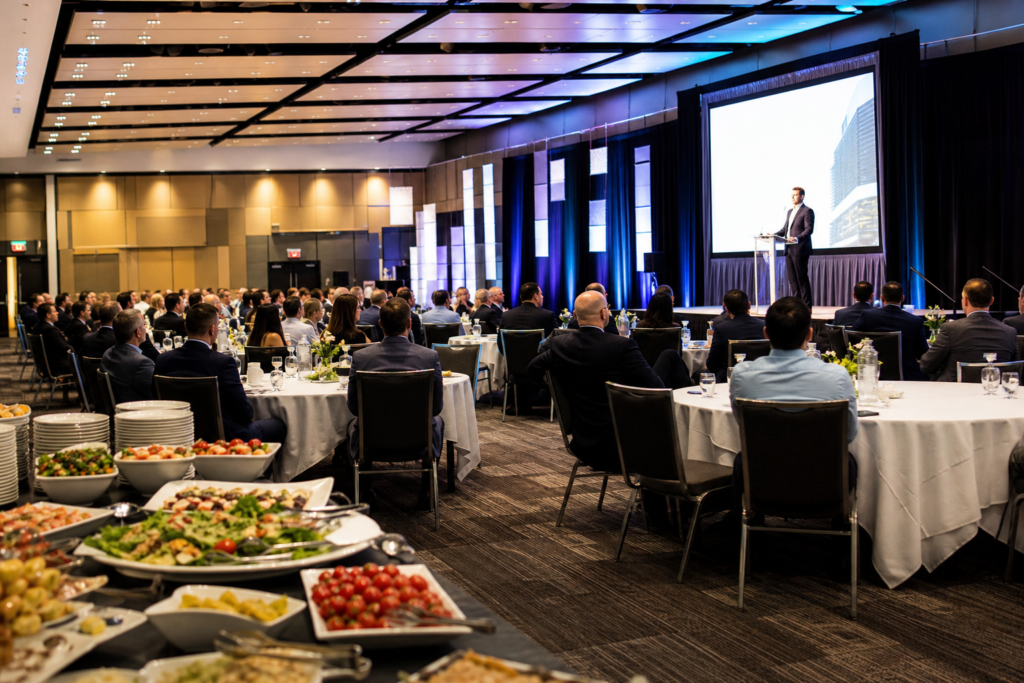
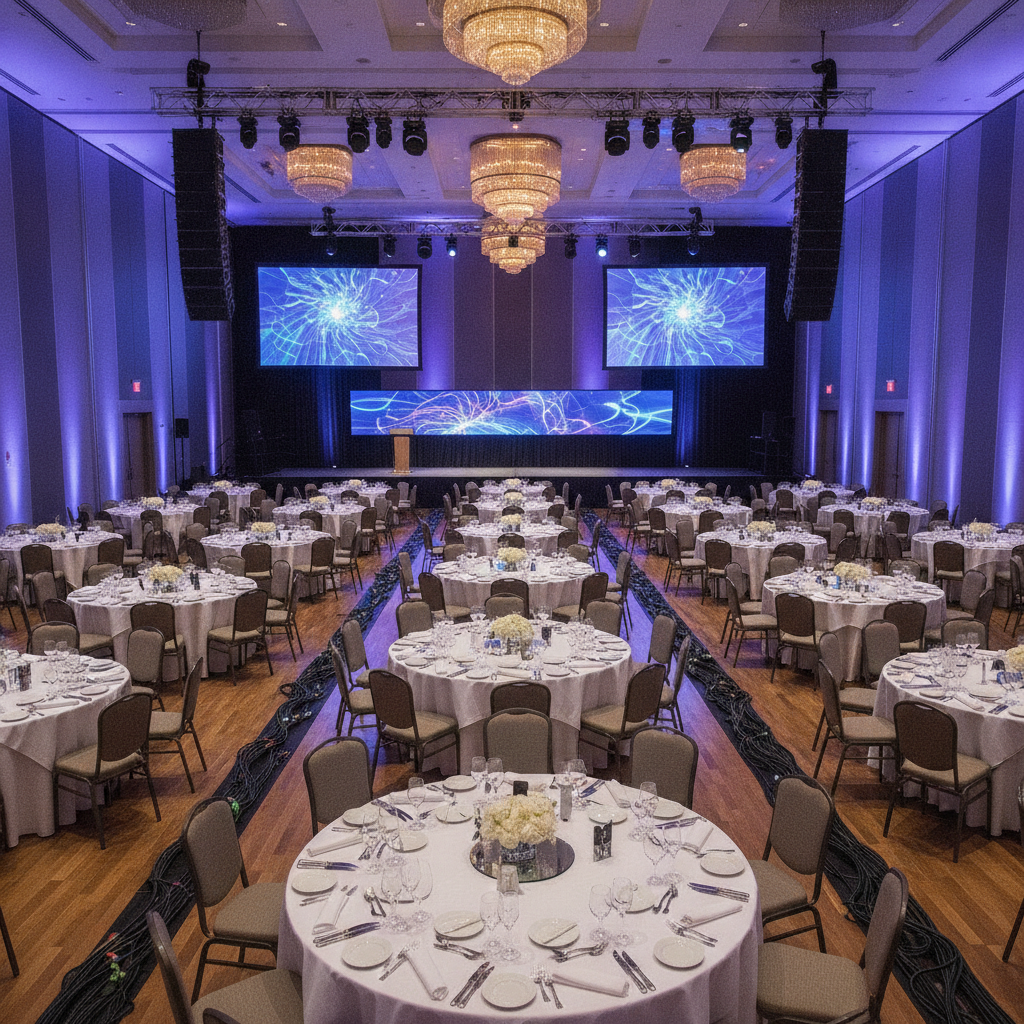
 AV setup for events is the end-to-end design and deployment of audio, video, lighting, staging, and streaming systems to deliver clear sound and visuals for every attendee. At 75 Derry Rd W in Mississauga, our in-house technicians plan, test, and operate integrated systems so your program runs on time, looks polished, and sounds excellent.
By Preet Dass | Last updated: 2026-06-20
Quick Overview: Your AV Setup Game Plan
A strong AV plan turns content into an experience: confirm the agenda, right-size sound and screens, map power and rigging, test microphones and playback, and assign a show-caller. Lock cues, rehearse transitions, and monitor audience coverage in-room and online. Document signal flow and contingencies to keep everything smooth.
This complete guide distills how we design, prep, and run AV for corporate meetings, conferences, galas, weddings, trade shows, and school events. Youll find plain-English definitions, step-by-step checklists, pro tips, safety notes, hybrid streaming pointers, and local specifics for events at our Mississauga Convention Centre.
At a Glance
- What AV setup for events includes and why it matters
- Step-by-step planning from discovery to strike
- Audio, video, lighting, staging, and hybrid streaming essentials
- Room-by-room examples for meetings, galas, weddings, proms, and trade shows
- Local considerations for 75 Derry Rd W in the Regional Municipality of Peel
- Download-style checklists and a quick tools list you can copy
- What Is AV Setup for Events?
- Why AV Setup Matters
- How AV Setup Works: Step-by-Step
- Types of AV Setups by Event Format
- Best Practices (Audio, Video, Lighting, Safety)
- Tools & Resources
- Case Studies at 75 Derry Rd W
- Frequently Asked Questions
- Conclusion & Next Steps
What Is AV Setup for Events?
Event AV setup is the professional design, configuration, and operation of sound, display, lighting, staging, and control systems for a live program. It aligns equipment to room acoustics, sightlines, and run-of-show, so presenters look and sound their best and audiences stay engaged from start to finish.
At Mississauga Convention Centre, AV isnt a box of gearits a process. We translate your agenda into a technical plan, choose microphones and speakers to match speech or music, size screens for your seating layout, and balance lighting for cameras and in-room visibility. Then we rehearse and run the show with a dedicated tech team.
- Audio: microphones, mixers, speakers, monitors, DSP processing
- Video: projectors/LED walls, screens, cameras, switchers, playback
- Lighting: stage wash, uplighting, moving heads, dimming and control
- Staging: platforms, podiums, backdrops, drape, scenic elements
- Control: show laptops, clickers, comms, network, streaming encoders
Your event type shapes the mix. A leadership town hall leans on speech clarity and hybrid streaming. A South Asian wedding reception prioritizes vibrant lighting and music-forward sound. A trade show adds distributed audio, signage, and power planning for booths. Weve built all of these inside our seven halls.
Why AV Setup Matters
Great AV turns content into outcomes: clear audio drives understanding, bright readable screens keep attention, and smooth cues protect timing and momentum. When AV lags, audiences disengage and schedules slip. Pair a right-sized system with rehearsal and live monitoring to protect your events goals.
Strong AV is an insurance policy for your programs reputation. Audio intelligibility affects comprehension and satisfaction; readable visuals reduce cognitive load and note-taking friction. Lighting supports cameras for hybrid audiences and enlivens the room. When elements are balanced, speakers relax, timelines hold, and attendees remember key points.
- Speech clarity improves when we match microphones to voices and manage gain before feedback.
- Visual impact rises with correct screen size, brightness, and contrast for the furthest seat.
- Reliability grows with redundant playback, extra mics, and documented signal paths.
- Hybrid reach expands with clean audio feeds, proper lighting, and stable internet for streaming.
How AV Setup Works: Step-by-Step
Plan the show backward from outcomes: confirm agenda, room, and audience; right-size sound, screens, and lighting; map power and rigging; staff roles; run rehearsal; and monitor during show. Document signal flow and backups so if anything fails, you switch fast with minimal downtime.
Heres our proven end-to-end workflow for corporate meetings, weddings, galas, trade shows, and school events at our venue.
Discovery and Design
- Goals and format: keynote, panel, awards, performance, reception, hybrid, or exhibition.
- Audience and seating: headcount, round tables vs. classroom or theater, furthest-seat distance.
- Run-of-show: cue-by-cue outline: walk-in, intros, transitions, awards, entertainment, walk-out.
- Room and acoustics: ceiling height, reflections, stage location, drape, and noise considerations.
- System design: microphone plan, speaker coverage, screen size/placement, lighting layers.
Pre-Production and Prep
- CAD and plots: stage layout, seating map, projector throws, power, rigging points.
- Signal flow: inputs/outputs for audio, video, comms; label everything; print backups.
- Media collection: final slides, videos, walk-in/out tracks; standardize formats and aspect ratios.
- Crew and roles: A1 (audio), V1 (video), L1 (lighting), rigger, stage manager, stagehands.
- Testing: bench-test mics, playback laptops, switcher macros, encoder settings.
On-Site Build and Rehearsal
- Load-in: stage first, then power, rigging, and cable management; protect walkways.
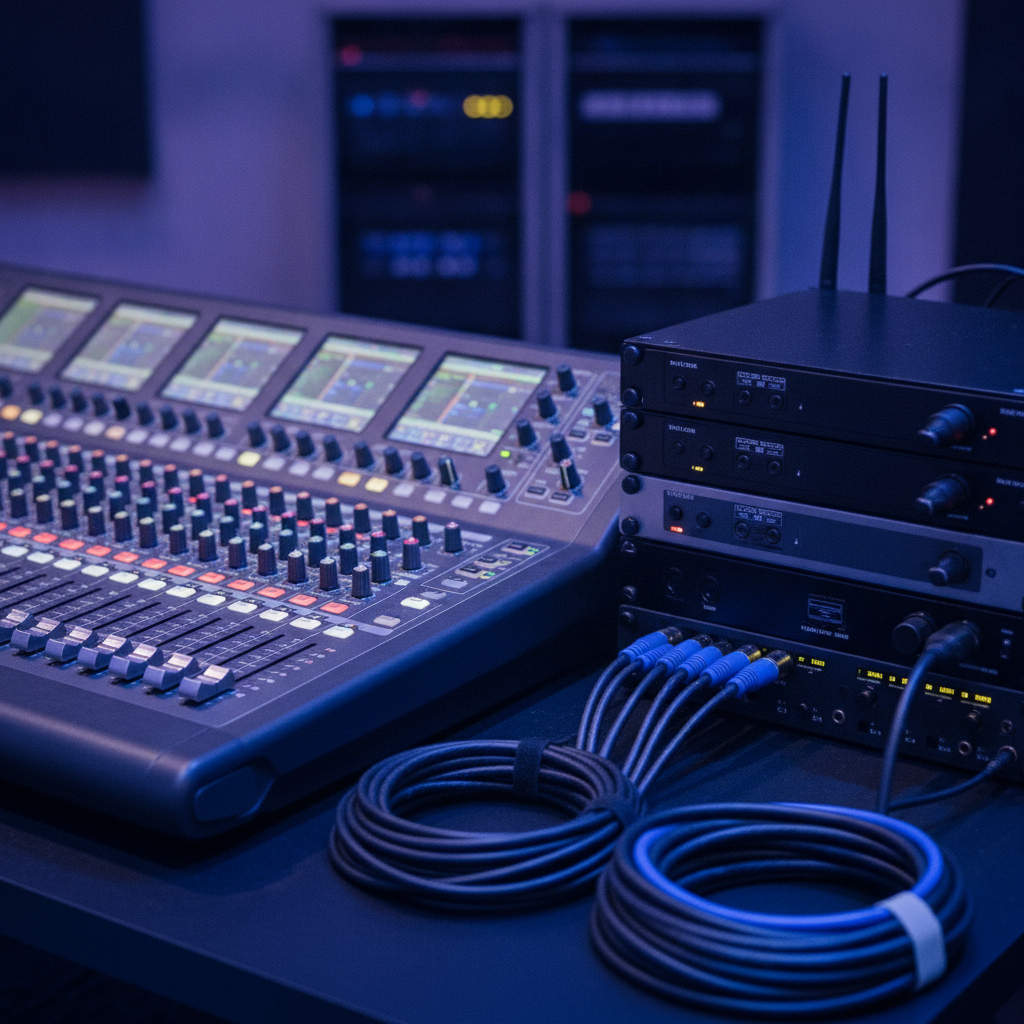
- Audio: place speakers, ring out system, set wireless frequencies, test all mics and monitors.
- Video: hang screens or LED, align projectors, verify camera shots, build switcher show file.
- Lighting: focus key light, color-balance, program looks for walk-in, program, and awards.
- Rehearsal: full run-through with timers, walk-ups, and playback; lock cue sheets.
Showtime and Strike
- Doors: check walk-in music, screen loop, and lobby signage.
- Live ops: cadence calls, mic handoffs, video roll-ins, and look changes on script.
- Monitoring: SPL levels, camera framing, stream health, confidence monitors for presenters.
- Strike: back up recordings, label cases, coil cables, and document lessons learned.
For planners who like templates, weve summarized the process in our event AV checklist and our conference room setup guide. Both map cleanly to our seven halls and typical agenda styles.
| Role | Main Responsibilities | Handoffs |
|---|---|---|
| Show Caller/Stage Manager | Timekeeping, cue calls, transitions, presenter wrangling | Coordinates A1/V1/L1, venue ops, catering for breaks |
| A1 (Audio Lead) | Mic selection, gain structure, mix, recordings, stream audio | Hands program audio to V1 and streaming tech |
| V1 (Video Lead) | Switcher, slides, video rolls, camera cuts, IMAG | Feeds screens, confidence monitors, overflow rooms |
| L1 (Lighting Lead) | Key light, color balance, looks for segments | Coordinates with cameras and stage manager |
| Rigger/Head Electrician | Hangs truss/points, power distro, safety checks | Signs off before programming and rehearsal |
Types of AV Setups by Event Format
Match AV to the program: speech-first meetings need intelligible mics and confidence monitors; galas and weddings add dynamic lighting and music-forward systems; exhibitions distribute audio and signage; hybrid sessions add cameras and encoders. Right-sizing prevents overkill and ensures coverage for the furthest seat.
Below are common formats we host and how we typically approach their AV design inside our seven elegant halls (~4,250 sq. ft. each). Use these as starting points; well tune them to your agenda, audience size, and seating layout.
1) Executive Town Hall (Hybrid)
- Audio: lectern mic + 2-4 handhelds, stage monitors, distributed speakers for fills.
- Video: dual screens, slide laptop, countdown timer, PTZ camera for stream.
- Lighting: warm key light at 4300–4600K; soft uplighting that complements brand colors.
- Notes: stable wired internet for encoder; redundancy for slide deck and clicker.
2) Panel Discussion
- Audio: 4–6 lavs or boundary mics to reduce handling noise; feedback management.
- Video: lower-third graphics; confidence monitor with question feed.
- Lighting: even front wash to avoid panelist shadows; gentle audience light for Q&A.
3) Awards Gala
- Audio: emcee handheld + stagehands for winners; walk-up mics at stage edges.
- Video: roll-ins for nominee packages; IMAG camera for winner reactions.
- Lighting: dynamic looks for reveals; haze if room and policy allow.
4) Wedding Reception
- Audio: DJ tie-in, speeches mic kit (2 handhelds, 1 lav), distributed fills for dinner.
- Video: highlight reel, couples slideshow on side screens.
- Lighting: dance-floor movers, custom color uplighting, warm toasts key light.
5) Cultural Ceremony (South Asian)
- Audio: subtle reinforcement for officiant and couple; live music tie-ins.
- Video: ceremony camera for family overflow or recording.
- Lighting: soft, flattering wash; scenic drape; accent for mandap or stage decor.
6) Prom or Graduation
- Audio: announcements mic + DJ/playlist tie-in; distributed coverage for large halls.
- Video: photo montage; signage for schedule and wayfinding.
- Lighting: celebratory looks; programmable dance lighting; school colors uplighting.
7) Conference Keynote
- Audio: presenter lav + backup handheld; countdown and confidence monitors.
- Video: widescreen slides; camera for IMAG if room depth warrants.
- Lighting: punchy key light, even stage wash, brand accent colors on cyc.
8) Breakout Sessions
- Audio: 1–2 mics, ceiling or small speakers as needed.
- Video: projector or large display; simple switcher with laptop input.
- Lighting: basic wash; house lights dimmed for slides.
9) Training Workshop
- Audio: speech-first with handheld for Q&A; table mics if roundtable format.
- Video: whiteboard + slide capture; camera for remote archive.
- Lighting: balanced to avoid whiteboard glare; task lighting for notes.
10) Trade Show or Expo
- Audio: distributed zones, low SPL to prevent booth spill.
- Video: digital signage, wayfinding loops, sponsor screens.
- Lighting: area lighting with highlights for feature booths and stage demos.
11) Fundraising Gala with Live Band
- Audio: stage plot, DI boxes, monitor mixes; speech mics separated from band mics.
- Video: scripted roll-ins; live auction visuals.
- Lighting: music looks + awards looks; fast transitions between segments.
12) Product Launch
- Audio: tight speech reinforcement; stingers and SFX on cue.
- Video: dramatic reveals; LED wall or high-brightness screens.
- Lighting: movers, gobos, and accent lights on the hero product.
13) Multicultural Reception (Halal Menu)
- Audio: toast-friendly mics; comfortable dining SPL with dance-level headroom later.
- Video: family messages and photo reels; discreet camera for memories.
- Lighting: color palette tuned to decor and attire; elegant, not overpowering.
Need more detail by room type? See our conference room AV systems walkthrough and the dedicated page on AV setup for conferences.
Best Practices (Audio, Video, Lighting, Safety)
Tools & Resources
Use a shared run-of-show, labeled cases, and a standard kit: RF mics, DI boxes, spare cables, adapters, and power distribution. Add a rehearsal checklist, encoder presets for hybrid, and a strike plan. Keep a printed show book with diagrams and contacts right at the tech table.
Heres a practical, copyable list based on what we stage in our halls for corporate, social, and school events.
Show Files and Templates
- Run-of-show with timestamps, cues, contact list, and emergency plan.
- Slide template: 16:9, high-contrast, large type, brand palette.
- Frequency coordination chart; projector throw and screen size chart.
Audio Kit
- Wireless handhelds and lavs; spare capsules and fresh batteries.
- Digital mixer with scene recalls; DI boxes for laptops and instruments.
- Powered speakers for fills; stage monitors; SPL meter for level checks.
Video Kit
- Switcher with multiview; capture card for streaming or recording.
- Primary and backup playback laptops; USB-C/HDMI adapters and EDID manager.
- Projectors or LED panels sized to room; confidence monitors and timers.
Lighting and Staging
- LED key lights with diffusion; controllable uplights; programmable movers for galas.
- Stage risers, podium, scenic drape, and safety-rated cable ramps.
- Lighting console with programmed looks; spare DMX and power jumpers.
Hybrid and Streaming
- PTZ or manned camera; encoder with known presets; wired network drop.
- Audio breakout from mixer to encoder; test return audio.
- Backup recording on the switcher and camera.
For more planning materials, check our event AV checklist, conference room AV systems, and all-inclusive event packages guide.
Case Studies at 75 Derry Rd W
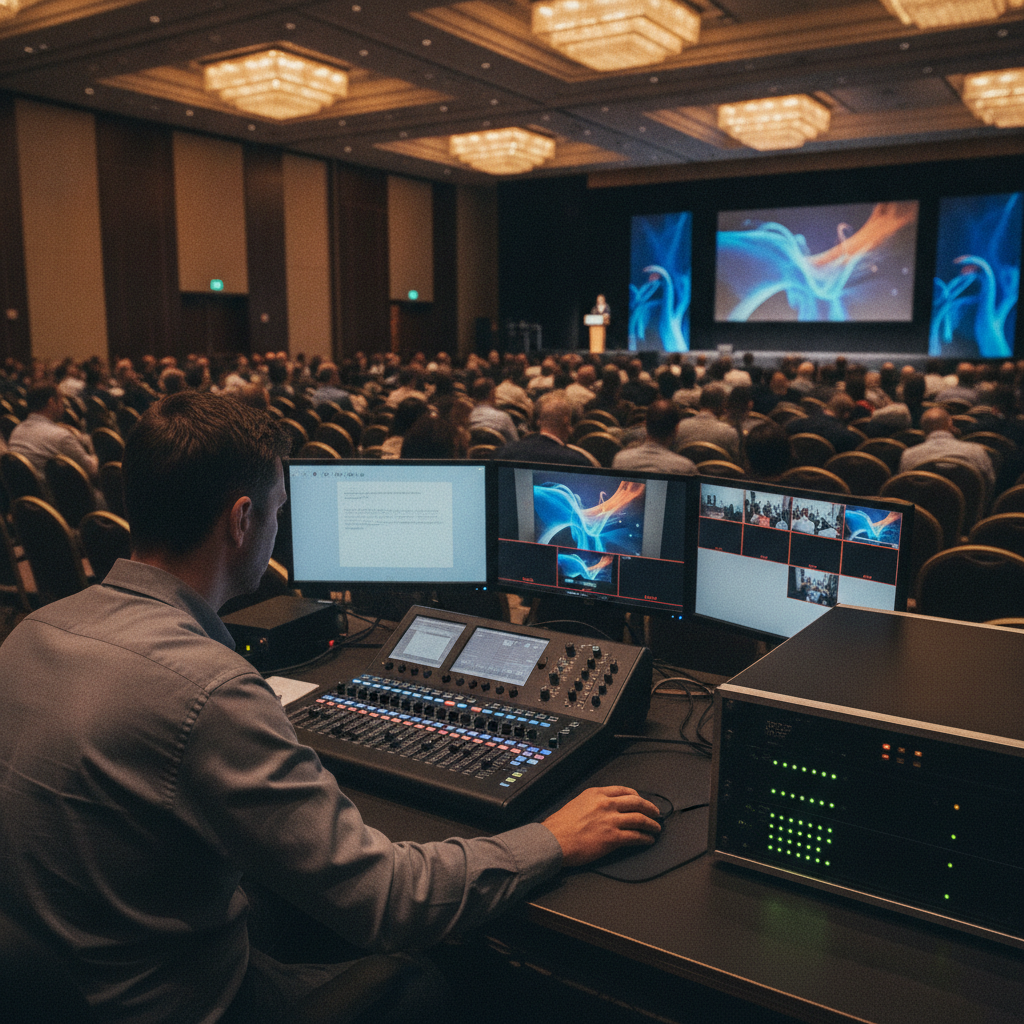
At our Mississauga venue in the Regional Municipality of Peel, weve staged town halls, multicultural weddings, trade shows, and proms using in-house audio, video, lighting, staging, and catering. Modular halls (~4,250 sq. ft. each) let us scale from intimate programs to multi-thousand-guest experiences with clear sightlines and coverage.
Corporate Town Hall with Hybrid Q&A
- Challenge: 600 in-room + remote viewers; rapid-fire Q&A; leadership panel.
- Approach: lavs for leaders, handhelds for floor Q&A, PTZ camera, encoder with wired internet.
- Result: smooth timing, clean audio to stream, and readable slides on dual screens.
South Asian Wedding Reception
- Challenge: vibrant decor, dance-forward program, toasts in multiple languages.
- Approach: distributed dinner coverage, DJ tie-ins, handhelds for toasts, dynamic uplighting tuned to decor.
- Result: lively dance floor, clear speeches at tables, beautiful lighting for photography and video.
Trade Show with Demo Stage
- Challenge: multi-booth audio spill and wayfinding confusion during peak traffic.
- Approach: zoned audio at low SPL, overhead signage loops, demo stage with clear show file and timers.
- Result: exhibitors heard without interference; attendees navigated efficiently between sessions.
School Prom and Awards Night
- Challenge: elegant dinner ambience early, high-energy dance later, safe load-out.
- Approach: two lighting looks (dinner/dance), programmed transitions, distributed audio for tables.
- Result: smooth awards flow, memorable dance lighting, quick strike and departure.
Planning something different? Our corporate event venue guide and wedding venue guide show layouts and sample run-of-shows that adapt to your program.
Local considerations for 75 Derry Rd W
- Transit timing: brief your crew and VIPs on the Hurontario St At Derry Rd bus stop proximity for easy arrivals; build a 10-minute buffer at call time.
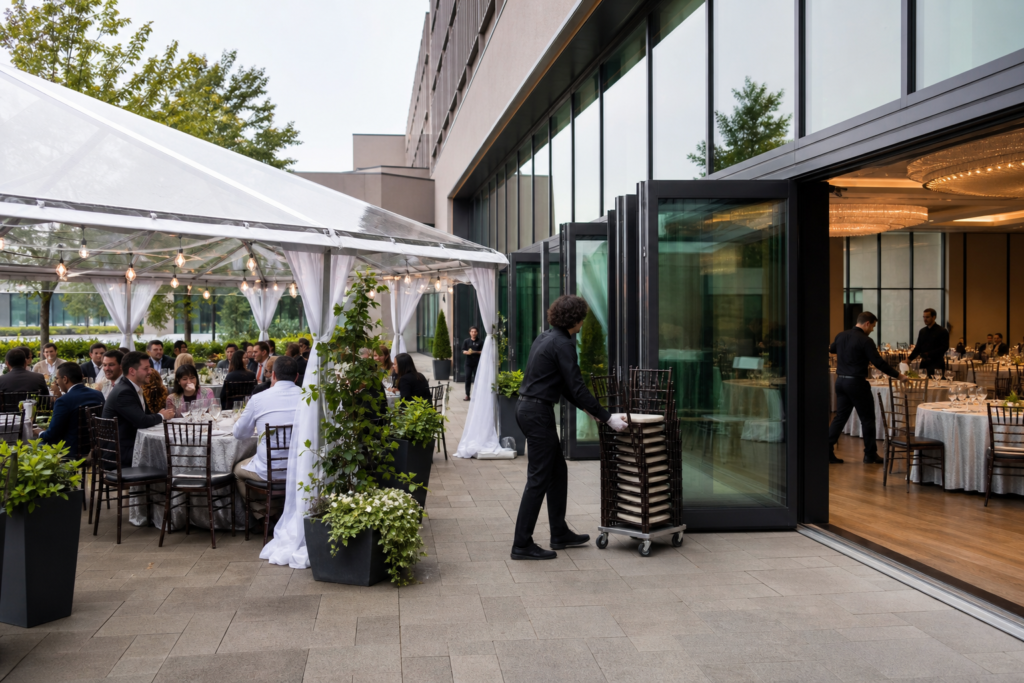
- Seasonal plan: winter load-ins need extra time for cabling and mats; summer ceremonies pair well with our customizable outdoor patio.
- Cultural scheduling: when families visit Mississaugas Ram Mandir before receptions, we align doors, photo moments, and dinner service accordingly.
Free planning conversation: Share your agenda and well sketch a right-sized AV plan, staffing, and a rehearsal outline tailored to one of our seven halls. Well also coordinate with catering, decor, and our operations team for load-in/out timing.
Frequently Asked Questions
Plan AV by confirming agenda, audience size, and seating first. Then right-size mics, speakers, screens, lighting, and crew. Rehearse cues, label signal paths, and set backups for critical moments. For hybrid, hardwire the encoder and test stream audio and return feeds.
How far in advance should we lock AV details?
Finalize your run-of-show, slides, and media 7–10 days out, then freeze cues 48 hours before doors. We bench-test gear in advance and run a cue-to-cue rehearsal on site so presenters, emcees, and crew move in sync.
What microphones are best for panels and Q&A?
Use lavs or boundary mics for panelists to keep hands free and reduce handling noise. Keep 1–2 handhelds ready for audience Q&A. We manage RF coordination and gain structure to maximize clarity without feedback.
How do we avoid slides looking washed out?
Right-size screens to the furthest seat and dim house lights near the screens. Use high-contrast slide templates and avoid dense text. We balance key light and screen brightness so faces look natural and slides stay crisp.
Whats the most common AV mistake?
Skipping rehearsal. Even a 30-minute cue-to-cue catches mic handoffs, video rolls, and timing changes. We always program looks and test transitions with presenters so the first time isnt live.
Conclusion & Next Steps
Design AV around your agenda, audience, and room. Size sound and screens for coverage and readability, program lighting for faces, and build rehearsed cues and backups. With in-house technicians and modular halls, we make shows smooth from first mic check to final applause.
Key Takeaways
- Start with outcomes and seating; design AV backward from the furthest seat.
- Clarity beats loudness: tune microphones and speaker coverage first.
- Program distinct looks and lock cues; rehearse every handoff.
- Hybrid success needs clean audio, proper lighting, and wired internet.
- Document signal flow and backups; keep a printed show book on site.
Action Steps
- Share your agenda and audience details with us for a right-sized plan.
- Use our AV checklist to align stakeholders before rehearsal.
- Explore hall layouts and options in our all-inclusive packages guide.
Hosting in Mississauga or across the GTA? Book a discovery session at 75 Derry Rd W and well map a clean, reliable AV plan that fits your program and timeline.