

 20 September, 2026
 An event accessibility checklist is a structured, step-by-step plan to make every part of your event usable by all guests, including people with disabilities. At 75 Derry Rd W in Mississauga, the Mississauga Convention Centre uses this checklist to align spaces, services, and staffing so attendees arrive, navigate, participate, and depart with confidence.
By Preet Dass — Mississauga Convention Centre
Last updated: 2026-06-05
Overview: Your Event Accessibility Checklist at a Glance
Start with access before arrival, then optimize wayfinding, seating, stages, tech, food and beverage, restrooms, and emergency plans. Train staff, communicate accommodations early, and audit on-site. This checklist helps corporate meetings, trade shows, weddings, and school events run smoothly at large venues like Mississauga Convention Centre.
Here’s what you’ll get from this complete guide to event access at a major GTA venue:
- Clear definition of an event accessibility checklist and why it matters
- Legal alignment explained in plain language (ADA and AODA concepts)
- Step-by-step planning across pre-event, on-site, and post-event phases
- Buying guide to select an accessible venue with confidence
- Comparison table and practical tools you can use today
- Local notes for 75 Derry Rd W in the Regional Municipality of Peel
- Real examples from corporate, social, and school events at our Centre
At a glance (Table of Contents)
- What is an event accessibility checklist?
- Why accessibility matters (legal, UX, ROI)
- How accessibility works across your event
- Types, formats, and approaches
- Best practices: the step-by-step checklist
- Buying guide: choosing an accessible venue
- Tools and resources
- Case studies and examples
- Planning at 75 Derry Rd W (Peel)
- FAQ
- Key takeaways
- Conclusion
- Related articles
What is an event accessibility checklist?
An event accessibility checklist is a practical set of requirements that ensures every guest can arrive, navigate, and participate. It translates accessibility standards into clear actions for venues, planners, and vendors—covering transportation, entrances, signage, seating, stages, AV, catering, restrooms, and emergency procedures.
Think of the checklist as your quality system. It’s how you plan inclusive routes, verify measurements (like door clear widths of 32 inches and 60-inch turning circles), and coordinate accommodations such as ASL interpreters, assistive listening, or quiet rooms. For hybrid setups, it extends to captions, transcripts, and keyboard-accessible platforms.
- Scope: From invitations and registration to post-event surveys
- People: Guests, speakers, exhibitors, vendors, staff, and volunteers
- Formats: Corporate meetings, conferences, seminars, trade shows, school events, weddings, and galas
- Outcomes: Fewer barriers, higher satisfaction, stronger participation
At Mississauga Convention Centre, we embed the event accessibility checklist into our planning for seven elegant halls (~4,250 sq ft each) and shared spaces, ensuring consistent experiences for groups from 50 to 2,000+.
Why accessibility matters (legal, UX, ROI)
Accessibility protects people and outcomes. It reduces barriers, meets legal expectations, and increases attendance and engagement. Events that anticipate needs—mobility, sensory, hearing, and vision—see smoother logistics, higher ratings, and fewer last-minute issues.
Why this matters to you as a planner or host:
- Legal alignment: Many regions expect accessible routes, signage, and services. Clear aisle widths, stage ramps, and assistive listening reduce risk.
- User experience: Clear wayfinding and predictable layouts help everyone. Good lighting and low-glare signage lower cognitive load.
- Operational efficiency: Proactive design reduces on-site fixes, which often disrupt schedules.
- Reach and reputation: Accessible events welcome more guests and reinforce your brand values.
Inclusive planning is practical. When we prepare large banquets or trade shows, small choices—high-contrast signage, ramped stages, quieter networking zones—consistently raise satisfaction on post-event surveys. In our experience, more inclusive routes can also speed move-in/out and improve safety for crews.
How accessibility works across your event
Accessibility spans the whole timeline: before, during, and after your event. Collect needs at registration, design barrier-free layouts, communicate accommodations, provide on-site support, and follow up. The best results come from one owner, one checklist, and quick adjustments on show day.
We recommend organizing by lifecycle:
- Pre-event: Ask about accommodations on registration; share accessible transit, parking, and entrance details in confirmations.
- On-site setup: Verify routes (curb → lobby → halls), check ramp slopes, and mark quiet rooms.
- Live operations: Staff the welcome desk, test assistive listening and captioning, provide ushers trained in inclusive seating.
- Post-event: Survey for accessibility feedback; update the checklist for next time.
At 75 Derry Rd W, we coordinate with your exhibitors and caterers so stations leave wide aisles, stages are ramped, and signage is readable from typical viewing distances. Central ownership—often your lead planner with our on-site team—keeps changes aligned.
Types, formats, and approaches
Different event types need distinct accessibility tactics. Conferences focus on AV and sightlines, trade shows on aisle width and booth design, school events on wayfinding and guardians, and weddings on ceremony staging and dietary needs. Tailor the checklist to your format and audience.
Here are common scenarios and where the checklist flexes:
- Conferences and seminars: Captioned sessions, assistive listening, ramped stages, reserved front rows, clear slides.
- Trade shows and exhibitions: 10–12 ft main aisles, 4–5 ft secondary aisles, level thresholds, reachable demo counters.
- Corporate galas and banquets: Server-friendly routes, 6 ft paths to exits, and quiet seating options.
- School proms and graduations: Simple signage, step-free photo backdrops, guardians’ seating, and sensory spaces.
- Weddings and cultural celebrations: Accessible ceremony aisles, ramped head tables, Halal-friendly menus, and prayer spaces when requested.
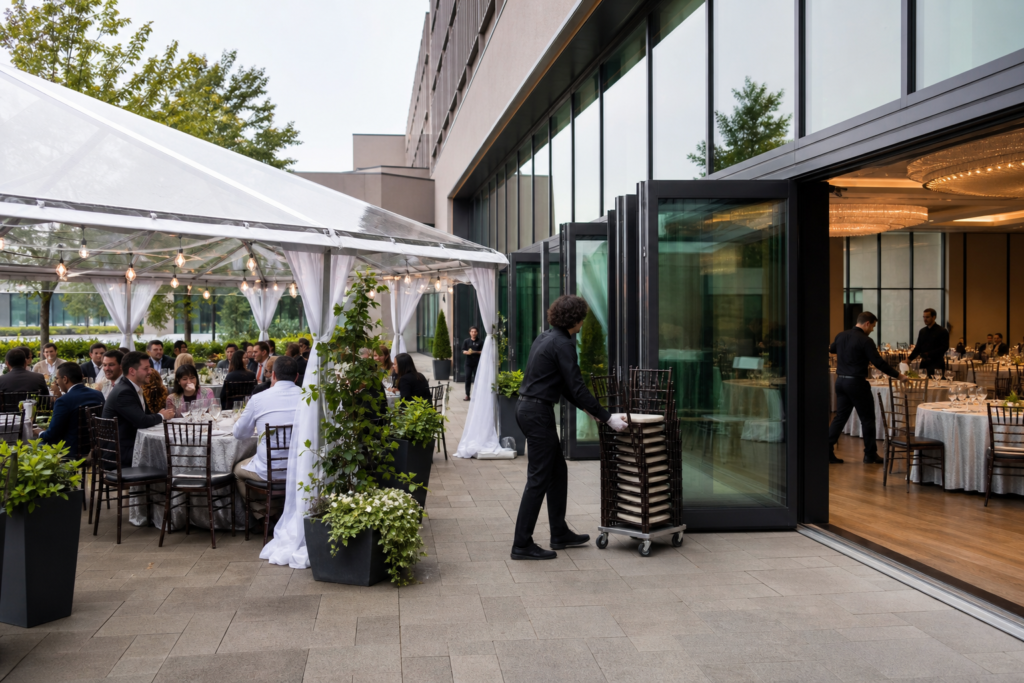
In each case, the event accessibility checklist aligns space, tech, and service. We also support outdoor patio ceremonies where temporary ramps, stable flooring, and weather plans matter most.
Best practices: the step-by-step checklist
Follow these steps: gather accommodation needs, map routes, verify measurements, configure seating and stages, validate AV access, confirm restrooms, plan F&B inclusively, train staff, communicate clearly, and rehearse. Finally, audit on-site and capture feedback for continuous improvement.
1) Pre-event planning
- Ask early: Add an accommodations field to registration. Offer examples (ASL, captioning, mobility assistance, quiet room).
- Share access info: Email parking, entrance photos, elevator locations, and stroller/wheelchair routes.
- Confirm vendors: Ensure exhibitors, decorators, and AV providers follow the same accessibility standards.
- Plan signage: Use high-contrast colors, large text sizes, pictograms, and consistent placement.
- Coordinate timing: Stagger load-in/out to keep accessible routes open for guests.
For large conferences, align this phase with your internal approvals and the venue’s production schedule. See our corporate planning checklist for a broader timeline.
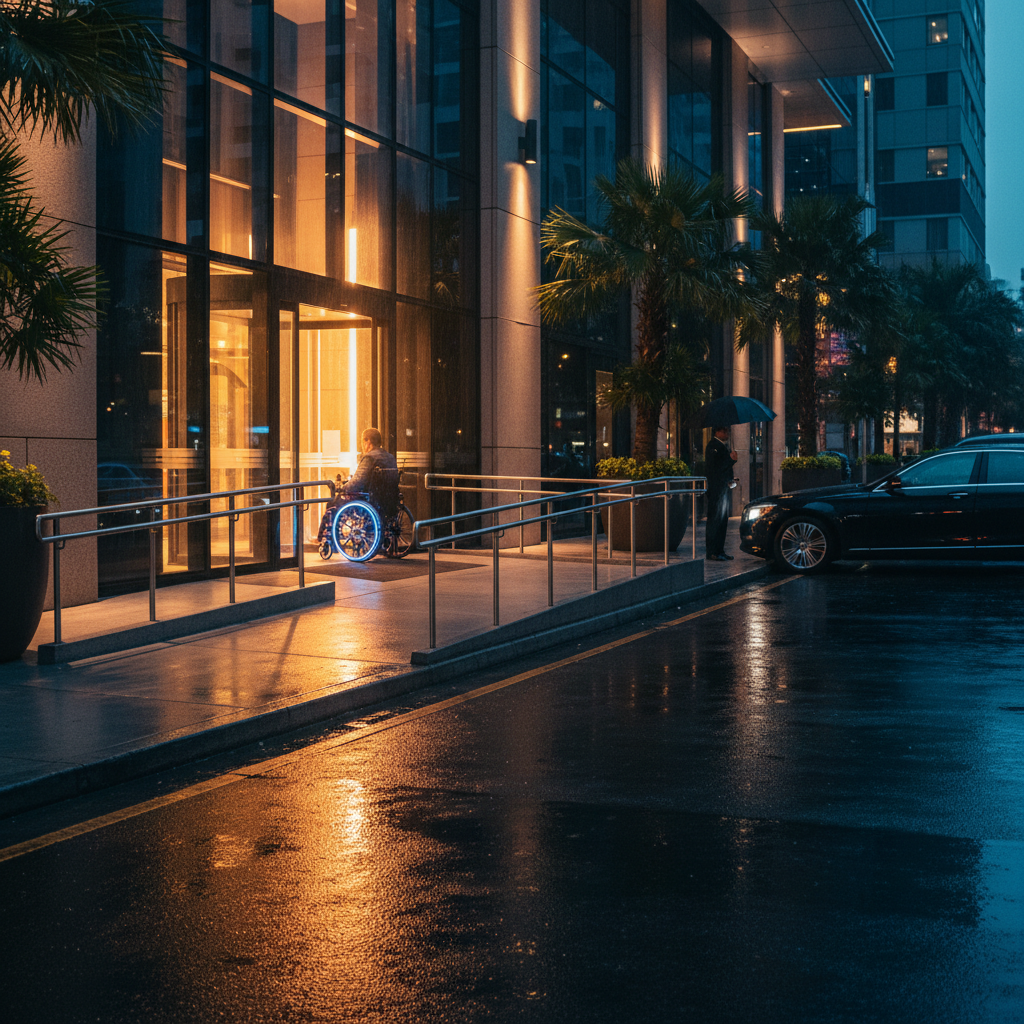
2) Arrival, parking, and entrances
- Route continuity: Curb → ramp → automatic doors → lobby → halls without steps or tight turns.
- Drop-off: Designate a supervised curbside drop-off with signage and cones if needed.
- Parking: Ensure accessible stalls near primary entrances and snow/ice plans in winter.
- Wayfinding: Clear arrows from parking to registration, with volunteers stationed at decision points.
For large arrivals, we pair wayfinding volunteers with simple, high-contrast directional signs and floor decals for a low-sensory cue.
3) Hallways, aisles, and seating
- Aisle widths: 10–12 ft mains; 4–5 ft secondaries. Keep cables under mats and thresholds level.
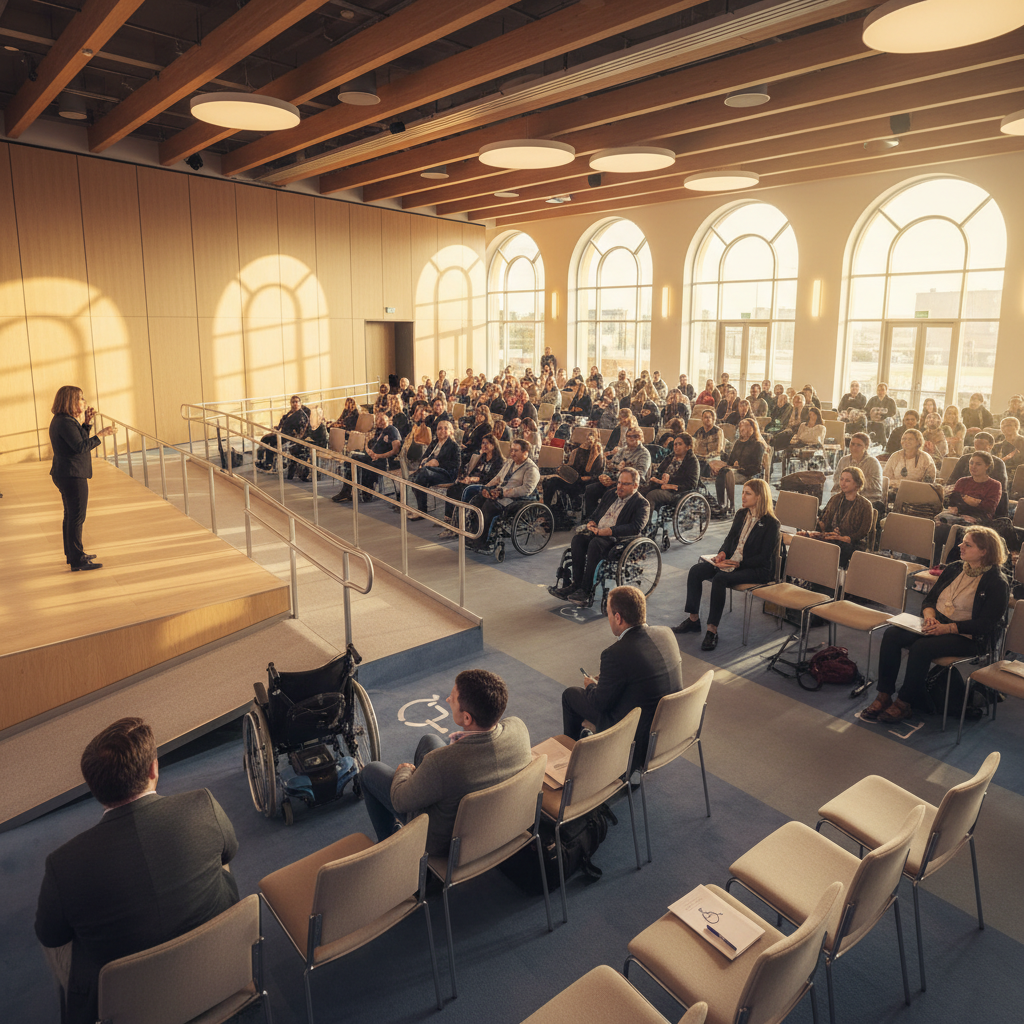
- Seating mix: Include wheelchair spaces throughout, adjacent companion seats, and variety (chairs with/without arms).
- Quiet zones: Mark low-sensory areas; adjust lighting and music levels there.
- Emergency egress: Paths must remain clear of decor/stations at all times.
Our capacity guide shows how table layouts affect aisle widths and sightlines—use it to right-size your room.
4) Stages, lecterns, and sightlines
- Ramped access: Provide safe slopes and handrails for raised platforms.
- Adjustable lecterns: Offer height-adjustable options and a handheld mic.
- Sightlines: Avoid pillar blocks; place interpreters close to speakers and screens.
- Lighting: Even front light for faces; avoid strobing or rapidly changing effects.
For detailed production planning, reference our event AV checklist and align interpreter lighting at rehearsal.
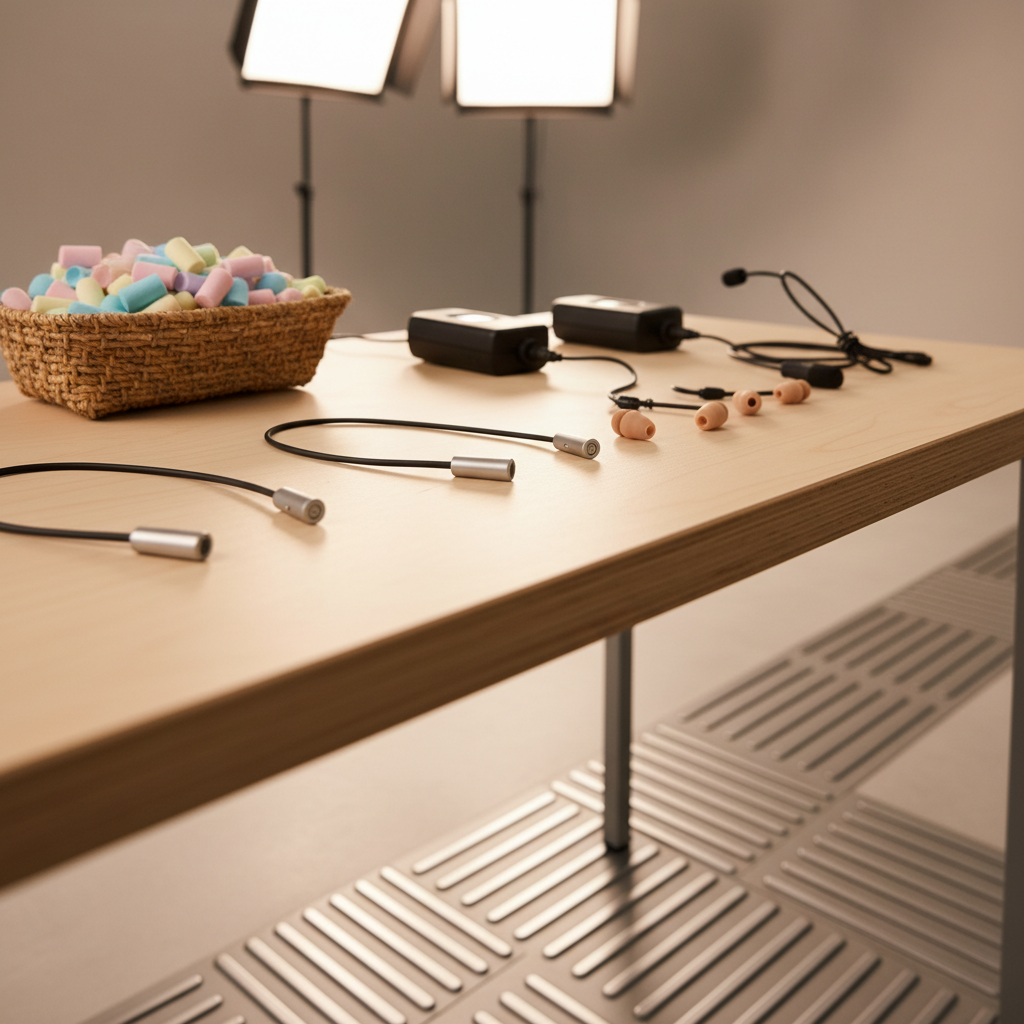
5) Audio, video, and digital access
- Assistive listening: Provide devices and signage at registration.
- Captions: Turn on live captions for plenaries and recordings; provide transcripts after.
- Slides: High contrast, 24 pt+ body text, meaningful alt text for images shared digitally.
- Hybrid: Ensure keyboard navigation and descriptive labels within your virtual platform.
6) Catering and dietary inclusion
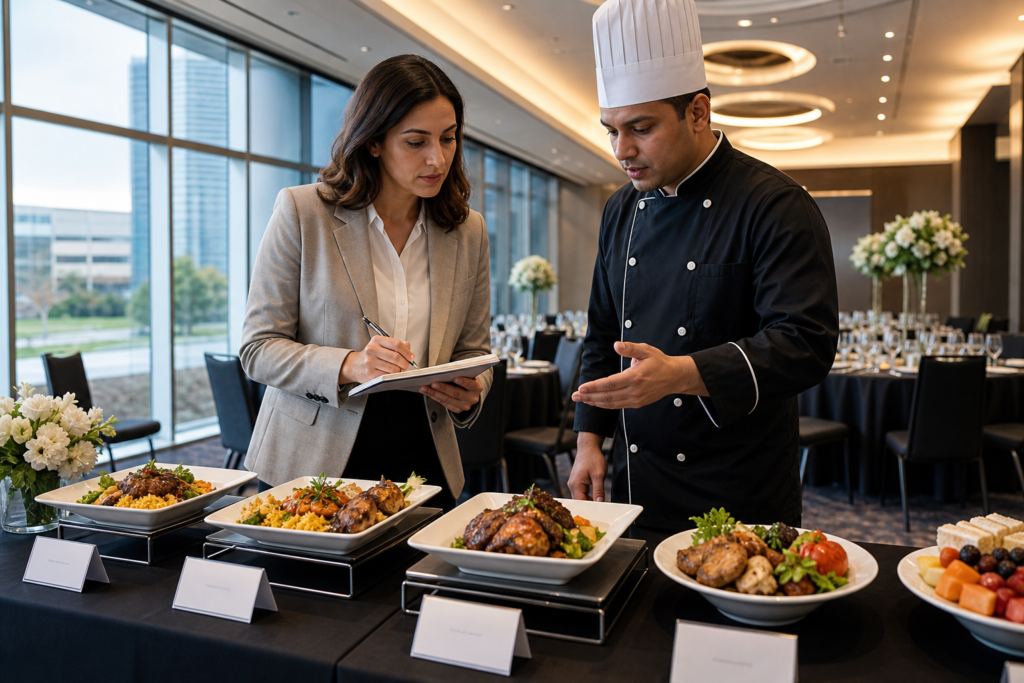
- Wayfinding at buffets: Provide clear start/end; allow wheelchair turning circles.
- Labeling: Plain-language allergen indicators; Halal and vegetarian/vegan clearly marked.
- Service heights: Keep stations reachable; provide seated dining alternatives on request.
- Sensory considerations: Avoid overly pungent stations near quiet zones.
We offer diverse in-house catering—South Asian, Pakistani Halal, Middle Eastern, Sri Lankan, Caribbean, and Continental—so you can align menus with cultural and dietary needs while maintaining accessible service flow.
7) Restrooms and wellness spaces
- Routes: Post accessible restroom locations on maps and signs.
- Facilities: Keep at least one accessible stall per restroom bank open at all times.
- Wellness/quiet room: Provide a low-sensory space with adjustable lighting and seating variety.
8) Emergency planning
- Roles: Assign staff to assist with evacuation support and communication.
- Alerts: Use both audible and visual signals; keep captioning active.
- Paths: Maintain wide, unobstructed egress routes; review with security and exhibitors.
9) Staffing and training
- Briefings: Train on respectful assistance, person-first language, and where equipment is stored.
- Ushers: Seat guests efficiently while keeping companion seats together.
- Vendor alignment: Hold a 10-minute huddle with AV, catering, and décor before doors open.
We bundle these steps into our show-day plan. For broader venue evaluation, see our guide on how to choose an event venue.
10) Communication
- Invites: State that accommodations are available and whom to contact.
- Signage: Keep phrasing simple and icons consistent with maps.
- Schedules: Note ASL-interpreted sessions, quiet hours, and prayer times when applicable.
Buying guide: choosing an accessible venue
Choose a venue by testing real routes, checking measurements, verifying assistive tech, and reviewing training and policies. Ask for floor plans, arrival photos, and a live demo of ramps, captions, and listening devices. The best venues make accessibility visible, testable, and repeatable.
Use this quick venue comparison when shortlisting:
| Feature | Mississauga Convention Centre | Generic City Hotel | Outdoor Park Setup |
|---|---|---|---|
| Arrivals & drop-off | Dedicated curb, automatic doors, wide lobby routes | Shared porte-cochère, potential bottlenecks | Temporary wayfinding, variable surfaces |
| Aisles & seating | Flexible ballrooms, scalable aisles, companion seating | Fixed pillars limit layouts in some salons | Dependent on rentals; weather impacts |
| Stages & tech | In-house ramps, AV, captioning support | AV via third parties; limited ramp stock | Portable power and staging required |
| Catering inclusion | Diverse Halal/regional menus, clear labeling | Standard hotel menus; limited cultural options | Dependent on caterer; labeling varies |
| Parking & transit | ~700 on-site spots, accessible stalls | Paid underground, limited event control | Street or lot parking; variable access |
| Staff readiness | On-site team trained for large programs | Teams change per event; variable | Staffing depends on vendors |
When touring, request:
- Door width and turning-radius measurements on your floor plan
- Photos from curbside drop-off to your rooms
- Quiet room locations and lighting controls
- Assistive listening inventory and charging logistics
- Captioning demo and interpreter sightline plan
For event size trade-offs and sightlines, review our capacity guidance before finalizing room combos.
Tools and resources
Use simple tools: a tape measure, a floor-plan markup, and an accessibility run-sheet. Add assistive listening, captioning software, and signage templates. Align vendors on one checklist and one owner so issues are found and fixed before doors open.
- Templates: Floor plan with marked routes; show-day accessibility run-sheet.
- Hardware: Assistive listening kits, handheld mics, ramps, cable mats, adjustable lecterns.
- Software: Live captioning, slide-accessibility checkers, QR codes to maps.
- Training: 15-minute pre-opening huddle plus role-based job aids.
For broader planning context, our post on venue accessibility requirements details common checkpoints. Pair that with the event AV checklist to sync tech with layout choices.
If you’re hosting a corporate program across multiple rooms, see this overview of corporate event venue options in Mississauga for coordination ideas across spaces.
Case studies and examples
Small design choices create outsized impact. These quick snapshots show how accessible routes, inclusive menus, and tuned AV improved guest experience at large programs hosted at Mississauga Convention Centre.
- Conference plenary: We ramped the stage, reserved front-row seating for interpreters, and used live captions. Result: higher engagement scores and faster Q&A transitions.
- Trade show move-in: Exhibitor kits specified 10–12 ft main aisles and cable mats. Result: clear egress, fewer trip hazards, and simpler cart traffic.
- School graduation: Step-free photo areas and a dedicated quiet room supported families. Result: shorter lines, less crowding, more smiling grads.
- Wedding reception: Halal stations with plain-language labels and companion seating near dance-floor edges. Result: smooth service and happier multigenerational tables.
We’ve found that publishing accessibility notes with the agenda—especially arrival routes and quiet room locations—dramatically cuts day-of questions at the welcome desk.
Planning accessible events at 75 Derry Rd W (Regional Municipality of Peel)
At 75 Derry Rd W in Mississauga’s Regional Municipality of Peel, accessible events start with clear curbside arrivals, automatic doors, and wide lobby routes into seven flexible halls. We coordinate parking, signage, and AV so guests can navigate confidently from entrance to stage to seating.
Guests often arrive via nearby transit and arterials. We publish arrival maps in confirmations and position wayfinding volunteers at decision points during peak periods. For high-volume windows, we coordinate ushers to maintain open aisles and support companion seating in every hall.
Local considerations for 75 Derry Rd W
- Use the Hurontario St At Derry Rd stop details in pre-event emails so transit riders know the short route to our main entrance.
- Winter events: plan extra time for coat check and snow-clearing at curb cuts; ice management helps keep accessible stalls and ramps safe.
- For cultural weekends near Mississauga’s Ram Mandir, expect higher local traffic; share earlier arrival windows with guests.
Parking strategy matters. Our team monitors peaks and can direct shuttle loops or ride-share zones to keep accessible bays open. For arrival timing tips, see our guide to conference parking.
Event Accessibility FAQ
Plan accessibility by collecting needs early, mapping barrier-free routes, and rehearsing AV. Confirm seating, stages, restrooms, and emergency paths the day before doors open. Publish arrival maps and offer a contact for accommodations.
What should be in an event accessibility checklist?
Include arrivals and parking details, barrier-free routes, aisle widths, wheelchair and companion seating, ramped stages, assistive listening, captioning, clear signage, accessible restrooms, quiet rooms, trained staff roles, and emergency procedures. Share accommodations in invitations and confirmations.
How do I choose an accessible venue?
Test real routes from curb to seat, verify door widths and turning circles, review assistive listening and captioning, and ask for floor plans with routes marked. Request a live demo of ramps and AV. Confirm staff training and quiet room availability.
What are common accessibility mistakes at events?
Blocking aisles with décor, forgetting stage ramps, under-labeling buffets, and neglecting quiet spaces are common. Last-minute furniture shifts can also narrow paths. Prevent issues by auditing routes the evening before and assigning one owner to keep paths clear.
How early should I ask attendees about accommodations?
Ask at registration and again in confirmation emails. Provide examples like ASL, captioning, mobility assistance, dietary needs, and quiet room preferences. Early notice helps the venue and vendors stage equipment and staff effectively.
Key takeaways
Make accessibility a system: one owner, one checklist, and clear communication. Test real routes, verify measurements, and rehearse AV. Share arrival maps and accommodations in advance. Audit the night before and gather feedback to improve the next event.
- Assign a single accessibility owner and run-sheet
- Ask for accommodations at registration and in confirmations
- Map curb-to-seat routes and keep aisles clear
- Ramp stages, enable captions, and offer assistive listening
- Label buffets clearly and plan quiet rooms
- Audit, open, observe, adjust, and document for next time
Conclusion
Inclusive events don’t happen by accident—they happen by checklist. Turn expectations into actions, test them on-site, and assign one owner to keep routes, seating, stages, AV, and F&B aligned. When accessibility is baked in, your event becomes easier to run and better to attend.
At Mississauga Convention Centre, we align space, catering, AV, and staffing so your program welcomes every guest. Whether it’s a conference, trade show, wedding, or school celebration, our seven halls and outdoor patio can be configured for barrier-free experiences with consistent, repeatable results.
Related articles
Planning a multi-room program? Our venue selection guide explains how to balance capacity, sightlines, and access. If you’re building your production plan, pair it with an AV checklist and our corporate planning checklist for a smooth run of show. For size and layout trade-offs, keep the capacity guide handy.